

Celebrating Valentine's Day at Work
Embrace the spirit of love and friendship this Valentine's Day with Bravoboard! As we gather to celebrate the holiday, let's take a moment to reflect on the true essence of Valentine's Day - not just as a romantic occasion, but as a powerful symbol of love and connection.
This year, why not extend the warmth of this special day to your workplace? With Bravoboard, you can craft beautiful, personalized online cards to express your gratitude and appreciation for your coworkers. It's a fantastic way to foster meaningful relationships and create lasting memories with your team. So, join us in making this Valentine's Day at work a memorable one, filled with love, laughter, and the joy of being part of a wonderful community.
Valentine's Day is more than just a day to celebrate love; it's a time to recognize and cherish the bonds we share with those around us. This year, let's bring some of that heartfelt sentiment to the workplace with Bravoboard. Our platform makes it easy to create stunning, customizable online cards to send your message of appreciation to your teammates and friends. It's a simple yet impactful way to show your coworkers that you value them and the relationships you've built together. Start crafting your messages of love and appreciation today, and watch as your workplace comes alive with the spirit of Valentine's Day.
With Bravoboard, you can create meaningful online cards to show gratitude and brighten your colleagues' day in a fun and heartfelt way.
Here're some starter ideas for wishes to put on a Valentine's Day Bravoboard at Work
- "May your day be as colorful as a rainbow, filled with creativity and innovation, just like our brainstorming sessions!"
- "Here's to a team that knows how to turn any Monday into a reason to smile!"
- "Wishing you a day that's as energizing as a morning coffee break, ready to tackle whatever comes our way!"
- "May your work be as fulfilling as the sense of accomplishment we feel when a project is completed!"
- "To a team that knows how to find joy in the simplest things, like a shared lunch or a quick chat over coffee!"
- "Keep your spirits high, because every challenge we face together is a step towards success!"
- "May your tasks be as straightforward as a well-planned meeting agenda, leading to efficient solutions!"
- "Here's to a team that knows how to make even the longest days feel short, with our collective energy and enthusiasm!"
- "Wishing you a day that's as uplifting as the feeling of progress, as we move closer to our goals!"
- "May your work be as enriching as the knowledge we gain from each other, contributing to our collective growth!"
- "May your day be filled with happiness and love, just like our team!"
- "Here's to another year of working together and growing stronger!"
- "Wishing you a day full of joy and success, just like our projects!"
- "May your work be as rewarding as the love you give to others."
- "To a team that works together, plays together, and always supports each other."
- "Keep shining bright, just like the stars on Valentine's night!"
- "Here's to a team that turns challenges into opportunities!"
- "Wishing you a day filled with peace, love, and productivity!"
- "May your work be as fulfilling as the love you share with your team!"
Team Activities to Celebrate Valentine's Day at Work or Remotely
Here are 10 unique team activities to celebrate Valentine's Day at work or remotely:
- Bravoboard: Create a visual representation of the love and appreciation your team feels for each other, making Valentine's Day at work a memorable experience.
- PPT of Me" Presentation: Have each team member prepare a short presentation about themselves, including hobbies, interests, or any interesting facts. Share these presentations during a meeting to learn more about each other and create a fun, interactive session
- Virtual Coffee Break: Schedule a virtual coffee break where team members can chat and exchange gifts or thank you notes virtually. Use tools like Zoom or Microsoft Teams to set up a cozy virtual space for this event.
- Digital Scavenger Hunt: Organize a digital scavenger hunt with clues that lead to surprises or gifts for your colleagues. This can be done via email, messaging apps, or a dedicated platform, keeping the excitement going throughout the day.
- Online Karaoke Night: Host a karaoke night using platforms like Sing! or Karaoke Party Time. Encourage team members to sing their favorite songs and have fun without worrying about performance anxiety.
- Interactive Quiz: Create a quiz with questions related to love, relationships, or team dynamics and host it on a platform like Kahoot! or Quizizz. Make it competitive or collaborative to encourage participation and learning about each other.
- Art Challenge: Have a themed art challenge where team members create digital or physical art pieces inspired by love and relationships. Share these creations in a virtual gallery or display them in the office if possible.
- Virtual Book Club: Start a virtual book club focused on romance novels or books with love stories. Discuss the books and share thoughts and feelings during a video call or online discussion.
- Mystery Date Setup: Plan a surprise "mystery date" for a team member. This could involve setting up a secret meeting with a colleague or organizing a surprise gift delivery service for a loved one.
- Virtual Movie Night: Stream a romantic movie or series together using platforms like Netflix or Amazon Prime Video. Share snacks and enjoy the film as a team, whether you're all physically present or spread across locations.
- Team Selfie Contest: Encourage team members to take selfies showing off their Valentine's Day decorations or gifts. Post these photos on social media or share them in a group chat to create a festive mood.
Here are some fun facts about Valentine's Day that are suitable for sharing at the workplace:
- Valentine's Day has its origins in ancient Rome where people celebrated the Feast of Lupercalia, a festival that involved young men stripping and running through the streets of Rome with whips to mark virgin women
- The first heart-shaped chocolate boxes were introduced by Cadbury in 1861, combining a sweet gift with a reusable decorative box
- Oregon became the 33rd state on Valentine's Day in 1859, and Arizona followed as the 48th state exactly 53 years later
- The candy known as conversation hearts got their start as medical lozenges, created by a pharmacist named Oliver Chase in 1860
- Introduced in 2010 by Amy Poehler's character Leslie Knope on "Parks and Recreation," Galentine's Day is a day for ladies to celebrate ladies, featuring events like brunch or frittatas
- Four states have cities named Valentine: Arizona, Nebraska, Texas, and Virginia (with an added "s")
- The first valentine was sent in the 15th century, making it a relatively recent addition to Western holidays
- Before becoming a beloved treat, chocolates were actually prescribed by doctors for medicinal purposes
- In medieval times, a red rose was considered a symbol of love, and giving a rose could be interpreted as a declaration of love
- Valentine's Day is now observed in 192 countries around the globe, making it a truly international celebration
Valentine's Day at work is a wonderful opportunity to express gratitude and appreciation for your team. Using a Bravoboard, you can create a personalized and collaborative space where everyone can contribute their own unique messages of love and thanks. It's a simple yet powerful way to make your team feel special and valued, fostering a sense of unity and camaraderie.
Ready to collect messages? Create your board in 60 seconds.
Create your boardComments
Comments appear after a quick review (usually within 3 hours). Be kind and on-topic
Comments
No published comments yet — share yours and help the next reader.
Add a comment
Thank you—we received your comment
Comments appear after a quick review (usually within 3 hours).
See it in action
Explore the sample boards below, then create your own for your group.
⟡ Bravoboard Samples
Get inspired by real boards
Real sample boards for everyday celebrations and milestones. Explore Bravoboard use cases
Sample gallery
Occasion and celebration boards
Browse sample boards and digital celebration walls for birthdays, holidays, work anniversaries, thank-yous, farewells, and more. Each link opens a real Bravoboard so you can see how people add messages and photos on a shared page—the same experience you get for personal boards. If you are also evaluating Bravoboard for a workplace, there are additional samples below for branding and admin-friendly privacy and moderation controls.
Sample board links open in a new browser tab.

Happy Holidays

Work Anniversary

Happy Birthday!

Get Well Soon / Recovery

Deepest Sympathies

Virtual going away card

Work Promotion

Joy and Wonder!

Celebrating Parents

4th July Holiday

Just Be Creative
Looking for workplace-oriented examples? Samples below cover branding, access rules, moderation, and embed settings.
Team plan
What guests see (Live boards)
Open a sample to experience the board the way a visitor does. For Opt-in & acknowledgement and Contributor question, open the board and then use Add message (or your board’s equivalent)—those controls appear on the new-post form, not the wall.

Branded board
See your logo and background on the wall so the board feels on-brand for your organisation.

Password to view
Guests must enter the password before they can see the board. Try adding a message, use BRAVO as the password to unlock.
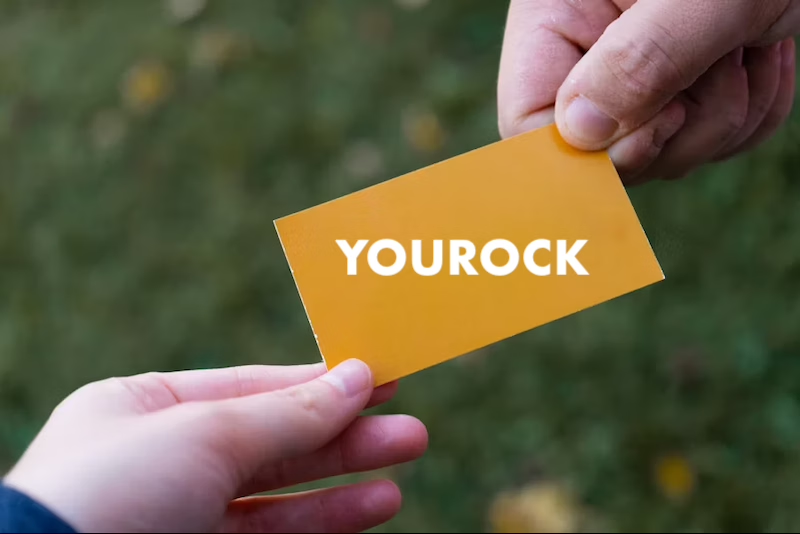
Post with Code / Invite only
Anyone who can view the board still needs the posting code before they can add a message. Try adding a message, use invite code YOUROCK when prompted.

Opt-in & acknowledgement
Open the board, then start a message—guests see your notice and must tick to acknowledge before they can post. Bravoboard records each acknowledgement with a timestamp.

Contributor question
Same flow: open the board, then add a message—guests see your custom yes/no checkbox (your wording). Look for [] I would like to be included in future opportunities, in this example.

Embed & domain restriction
The same board experience, meant to be embedded on sites you have allowlisted.
Guests never see moderation queues or approval screens—those are for board owners and team admins. Use the Screenshots — how teams govern boards row for post review settings and the pending queue.
Team plan
How teams govern boards (screenshots)
These panels are where your team set rules.
Click a screenshot to open a larger view. Cards with several panels group those steps together—use the arrows in the viewer to follow the workflow.
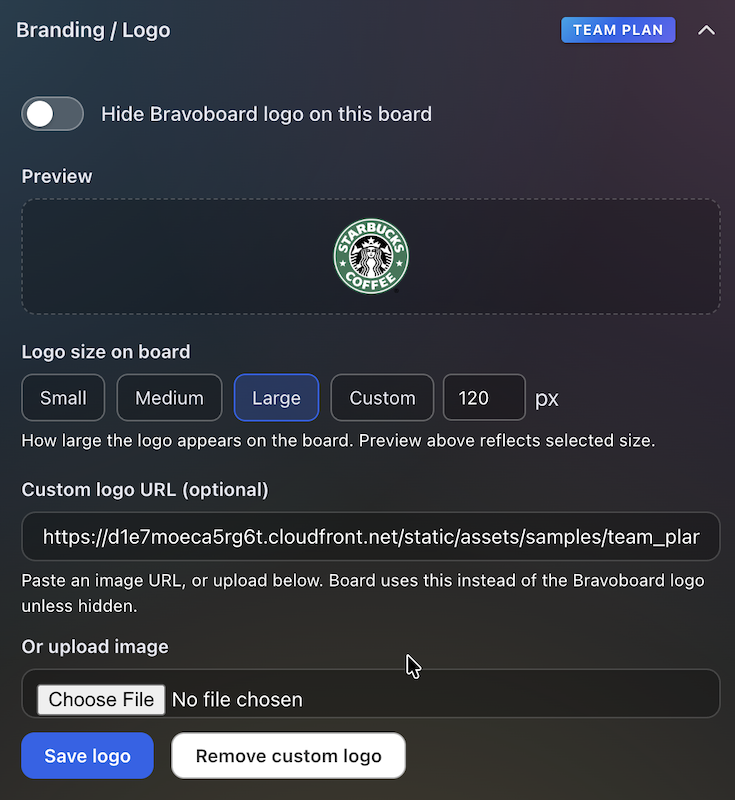
Branding & logo
Settings for uploading a logo and background so every team board matches your visual identity.
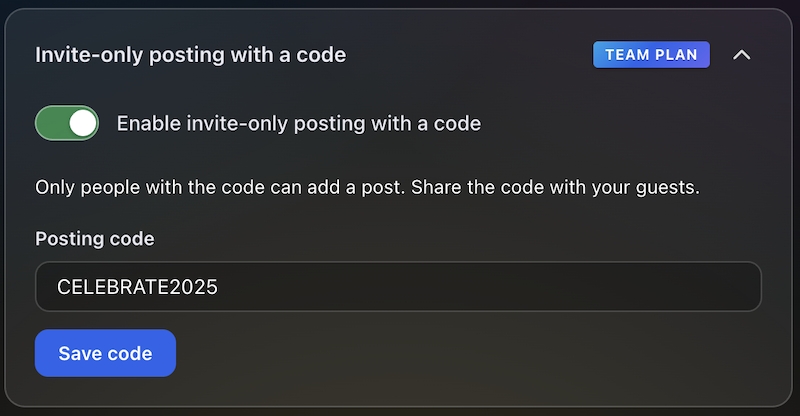
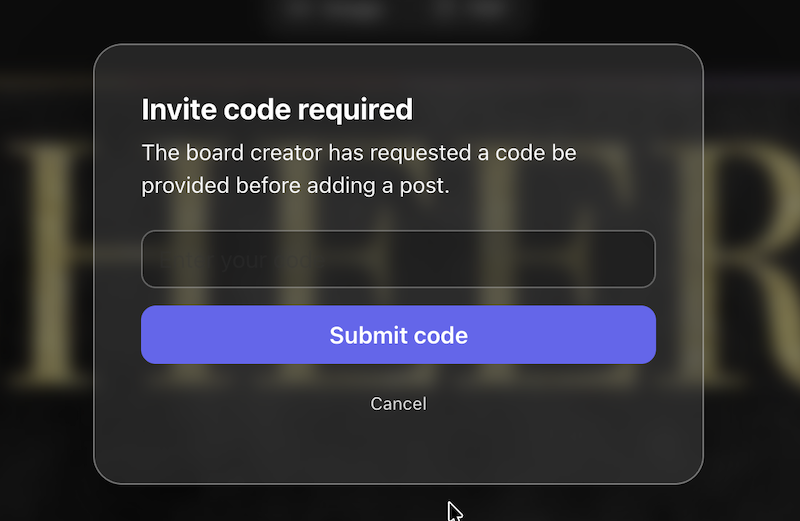
Post with Code / Invite only
Require a posting code for messages, or limit contributions to invited people only—so the wall stays readable while you control who can post.
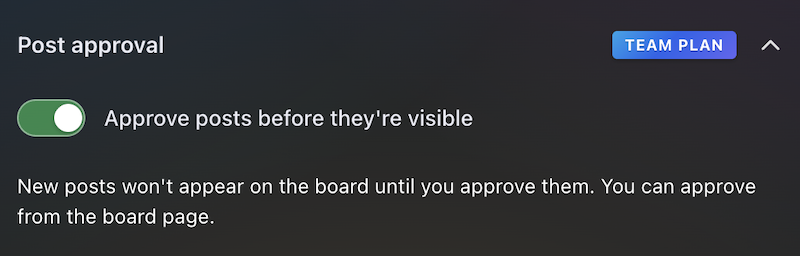
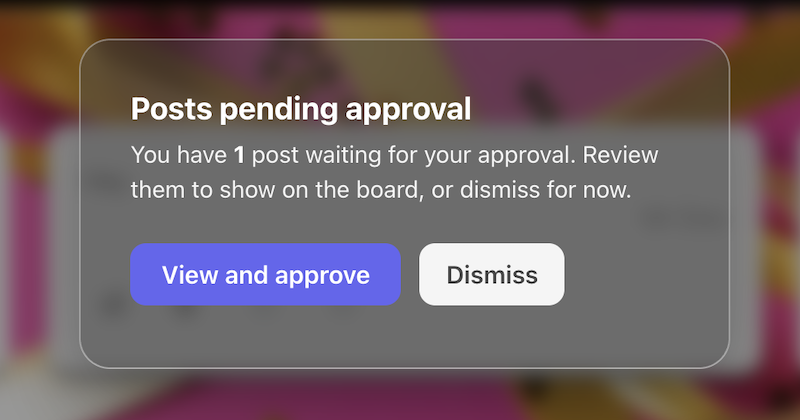
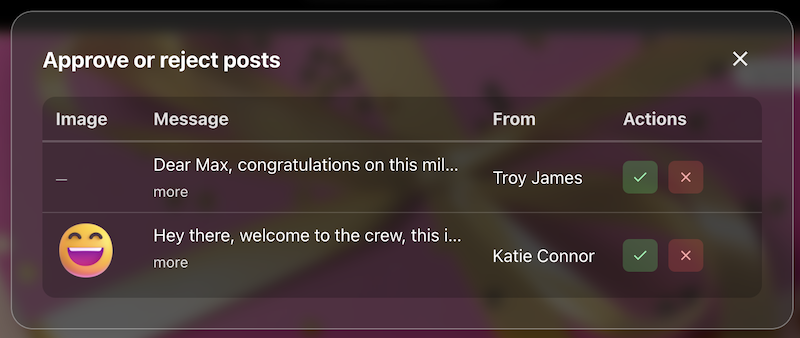
Post review
The queue or settings where approvers accept or hold posts before they appear on the live board.
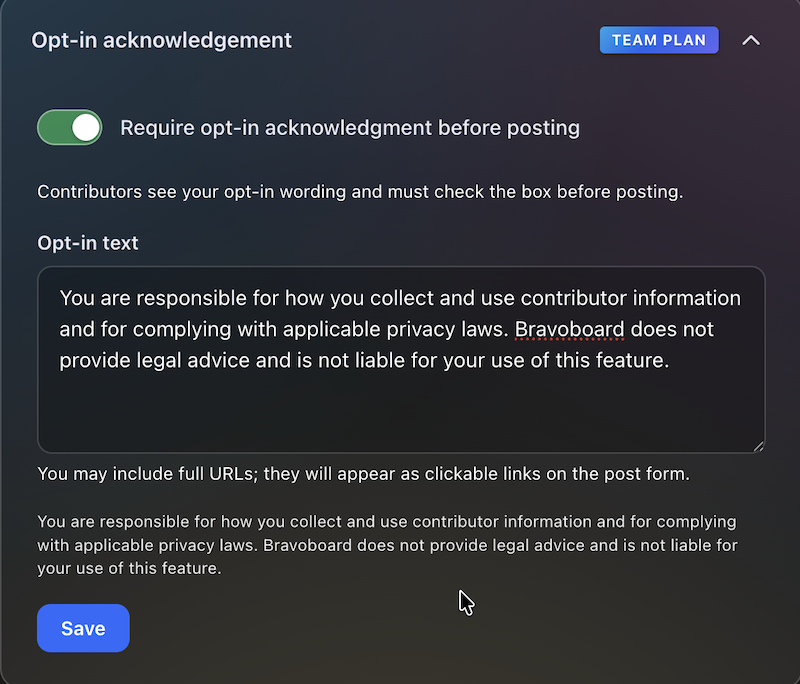
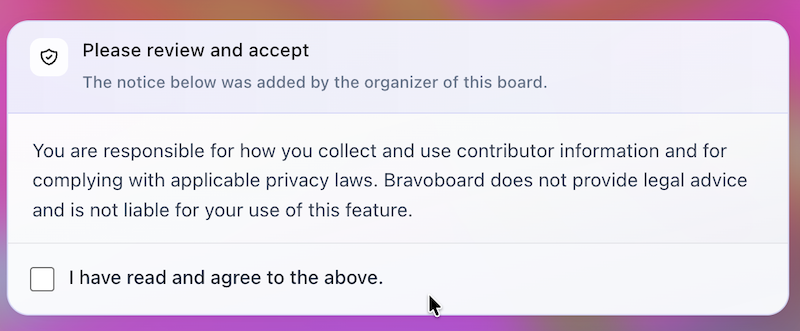
Contributor opt-in
Turn on the notice contributors must read, edit the text, and require a checkbox before posting—acknowledgements are stored with timestamps for audits and CSV export.
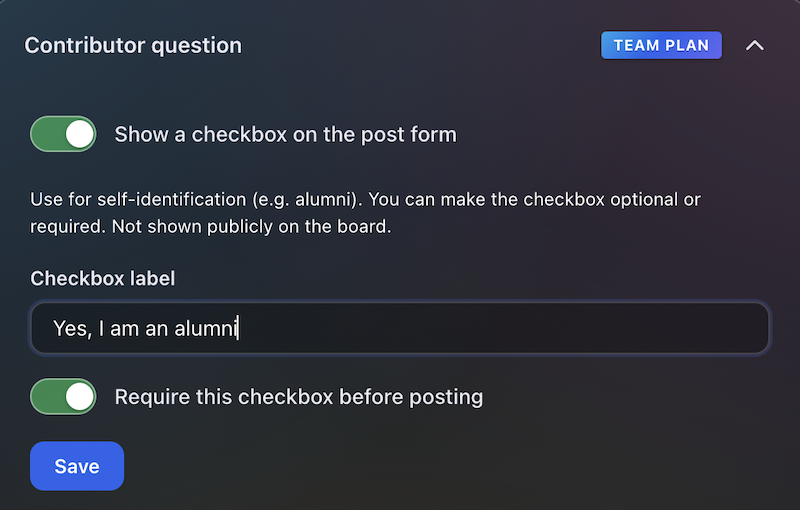

Contributor question
Contributors see this checkbox when they add a message. You write the label (for example self-ID or a light policy line), make it optional or required, and keep answers for admins and CSV export—not on the public wall.
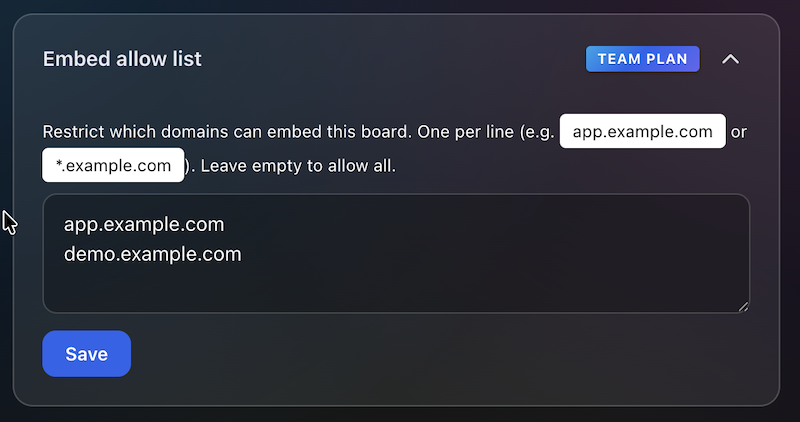
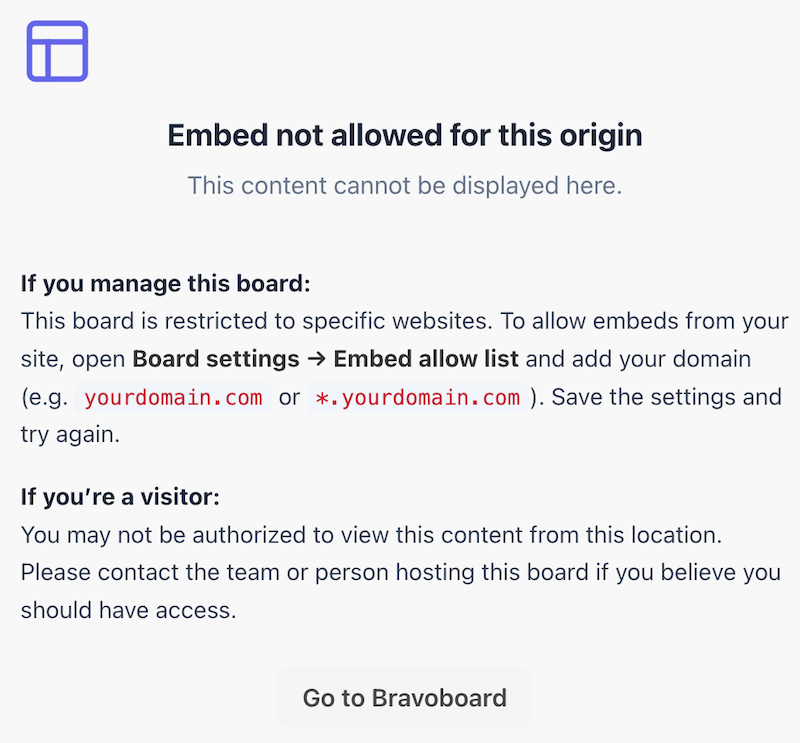
Embed domain control
Allowlist the sites that may embed this board, so it does not appear on random third-party pages.
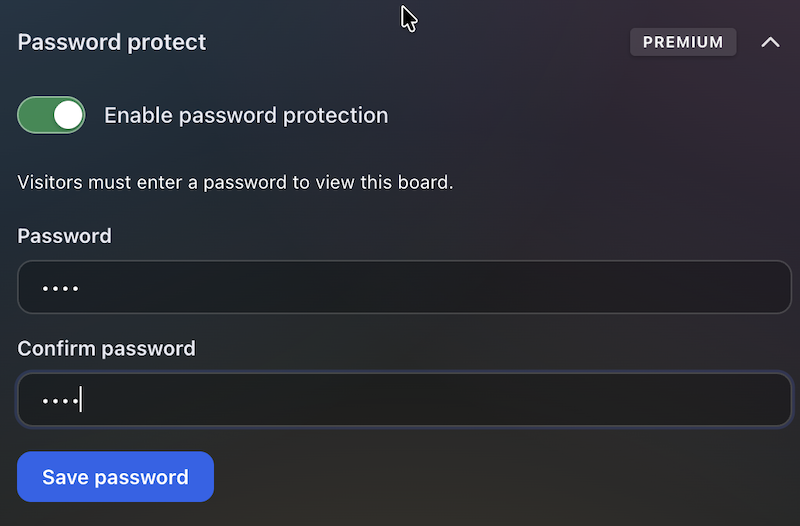
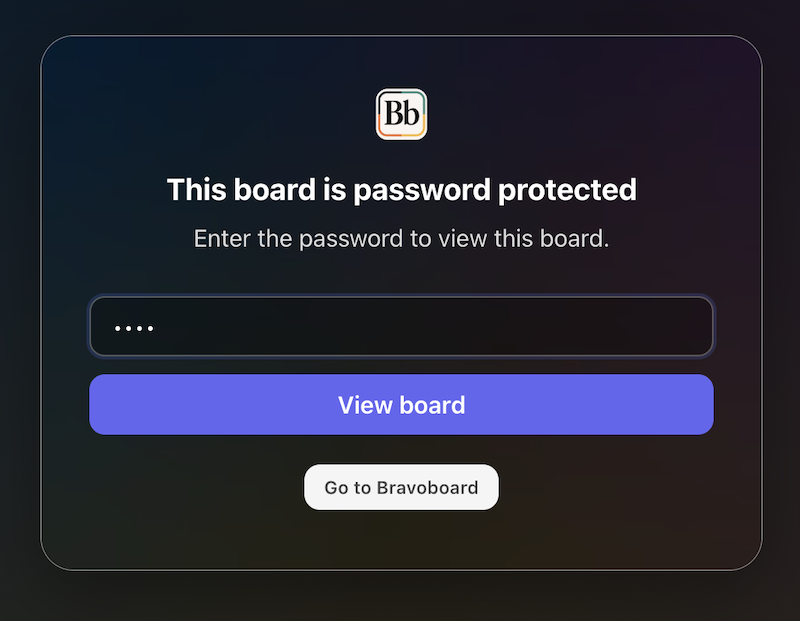
Password to view
Set a password so visitors must unlock the board before they can read it—separate from posting rules, posting codes, and invite-only contribution.
Latest Posts
You May Also Like

One board for a whole graduating class

Happy Birthday Wishes for Star Wars Fans

100 Welcome to the Team Messages for New Employees and Coworkers

50 Virtual Team Celebration Ideas for Remote Employees

How to Sign an Online Group Card (+ 75 Message Examples)

What to Write in a Group Card: 100 Message Ideas for Every Occasion

100 Birthday Wishes for Coworkers (Funny, Professional & Heartfelt)

100 Thank You Messages for Teachers to Show Your Appreciation

100 Boss Appreciation Messages to Say Thank You

100 Teacher Appreciation Messages to Say Thank You

100 Congratulations Messages for Every Occasion
