

What To Write In Thank You Cards
A Thank you Bravoboard is a great way to show appreciation and gratitude. But sometimes, finding the right words can be a challenge. Don't worry, we've got you covered! In this blog, we'll provide you with 40 funny and witty suggestions on what to write in thank you cards.
Sending a thank you card should feel joyful, not stressful! Whether you're acknowledging a thoughtful gift, an act of kindness, or a team’s hard work, Bravoboard makes it easy to express appreciation. But what do you actually write?
We get it, finding the perfect words can be tough. That’s why we’ve created a list of 40 funny, clever, and sincere thank you card messages to inspire your next Bravoboard or handwritten note. Whether you're saying thanks to a coworker, teacher, friend, or even your dog walker, there’s something here for everyone.
When to Use a Thank You Bravoboard
Bravoboard’s collaborative appreciation boards are perfect for moments like:
-
Farewell parties
-
Birthdays
-
Work anniversaries
-
Baby showers
-
Teacher appreciation
-
Volunteer recognition
-
Client thank-yous
-
Post-wedding gratitude
40 Thank You Card Messages by Tone
Funny Thank You Messages
-
“Thanks for the gift! I totally deserve it.”
-
“You really outdid yourself... now I owe you one. Ugh.”
-
“If I had a dollar for every time I said thank you, I could afford to get you a better card.”
-
“Thanks for helping me survive... again.”
-
“You’ve got a talent for kindness (and great taste in friends, hi!).”
Heartfelt Messages
-
“Thank you for being a bright light in my day.”
-
“Your generosity left me speechless (and that’s rare!).”
-
“You always go above and beyond. I’m so grateful.”
-
“It meant more than you know. Truly.”
-
“You made me feel seen and appreciated, thank you.”
Workplace Appreciation
-
“You’re the kind of teammate every office needs.”
-
“Thanks for always having my back during crunch time.”
-
“You make the workplace better, one spreadsheet at a time.”
-
“Appreciate your support on the project. We crushed it!”
-
“You’re the real MVP of the week (and probably the month too).”
Teacher Thank You Notes
-
“You don’t just teach, you inspire.”
-
“Thanks for putting up with us (and still smiling).”
-
“You’ve taught me more than any textbook ever could.”
-
“One day I’ll look back and realize how lucky I was to have you.”
-
“Gold stars to you, always.”
Personal Thanks
-
“Thanks for showing up for me, always.”
-
“Your thoughtfulness warmed my heart.”
-
“You didn’t have to, but you did, and I’m grateful.”
-
“Every day is better with you around.”
-
“Your kindness makes a difference.”
🧠 Quirky & Clever
-
“If gratitude could be bottled, I’d owe you a six-pack.”
-
“This card is my attempt at being classy. Thanks a bunch!”
-
“Let’s pretend I mailed this on time. Thanks!”
-
“You’re too awesome for a generic thank you.”
-
“I almost got you a singing card. You’re welcome (and thank you!).”
For Group Bravoboards
-
“From all of us: THANK YOU for everything.”
-
“Your efforts don’t go unnoticed, we see you, we appreciate you!”
-
“Our team wouldn’t be the same without your energy.”
-
“This board is a digital hug. Thanks!”
-
“You deserve a Bravoboard (and then some).”
Short & Sweet
-
“Much appreciated.”
-
“Grateful beyond words.”
-
“Thanks a million.”
-
“Can’t thank you enough!”
-
“You’re the best. Seriously.”
Tip: Add Personality to Your Bravoboard
-
Add a GIF or emoji to lighten the tone 🎉 🙌
-
Include a memory: “Remember that time…?”
-
Use a quote: "Gratitude turns what we have into enough."
✨ Did You Know?
🧠 The phrase “thank you” dates back to the 1400s and originally meant “I will remember what you did for me.” With Bravoboard, you’re creating a digital keepsake that proves just that.
We hope this list has been helpful in finding the perfect words to express your gratitude to your friends, coworkers, or loved ones. Thank you for being a true friend, always there to lend an ear and support. Your kindness and thoughtfulness make the world a better place.
Let us know if you liked the suggestions or if there's anything else we can assist you with.
Happy writing and spreading the joy of gratitude!
Ready to collect messages? Create your board in 60 seconds.
Create your boardComments
Comments appear after a quick review (usually within 3 hours). Be kind and on-topic
Comments
No published comments yet — share yours and help the next reader.
Add a comment
Thank you—we received your comment
Comments appear after a quick review (usually within 3 hours).
See it in action
Explore the sample boards below, then create your own for your group.
⟡ Bravoboard Samples
Get inspired by real boards
Real sample boards for everyday celebrations and milestones. Explore Bravoboard use cases
Sample gallery
Occasion and celebration boards
Browse sample boards and digital celebration walls for birthdays, holidays, work anniversaries, thank-yous, farewells, and more. Each link opens a real Bravoboard so you can see how people add messages and photos on a shared page—the same experience you get for personal boards. If you are also evaluating Bravoboard for a workplace, there are additional samples below for branding and admin-friendly privacy and moderation controls.
Sample board links open in a new browser tab.

Happy Holidays

Work Anniversary


Happy Birthday!

Get Well Soon / Recovery

Deepest Sympathies

Virtual going away card

Work Promotion

Joy and Wonder!

Celebrating Parents

4th July Holiday

Just Be Creative
Looking for workplace-oriented examples? Samples below cover branding, access rules, moderation, and embed settings.
Team plan
What guests see (Live boards)
Open a sample to experience the board the way a visitor does. For Opt-in & acknowledgement and Contributor question, open the board and then use Add message (or your board’s equivalent)—those controls appear on the new-post form, not the wall.

Branded board
See your logo and background on the wall so the board feels on-brand for your organisation.

Password to view
Guests must enter the password before they can see the board. Try adding a message, use BRAVO as the password to unlock.
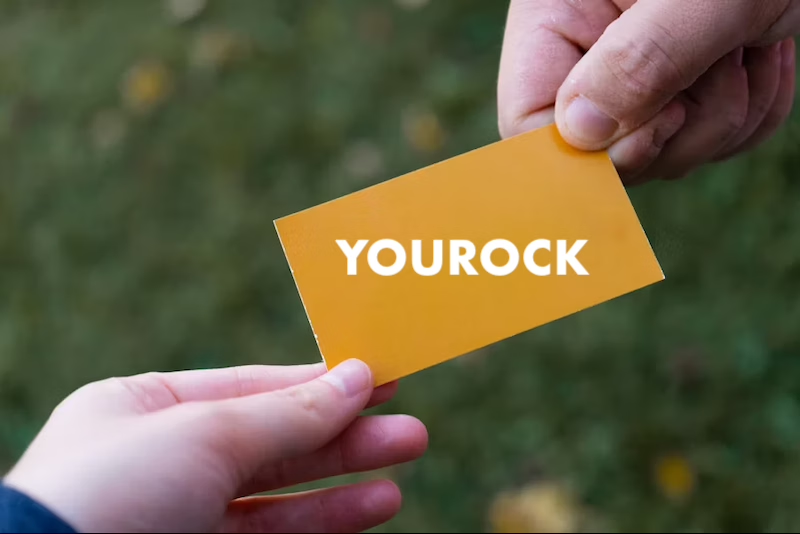
Post with Code / Invite only
Anyone who can view the board still needs the posting code before they can add a message. Try adding a message, use invite code YOUROCK when prompted.
Opt-in & acknowledgement
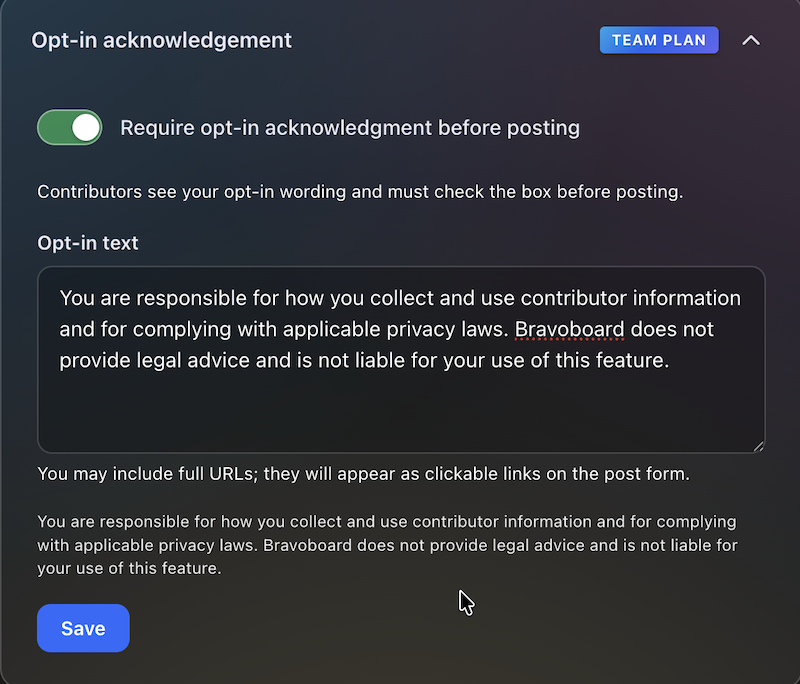
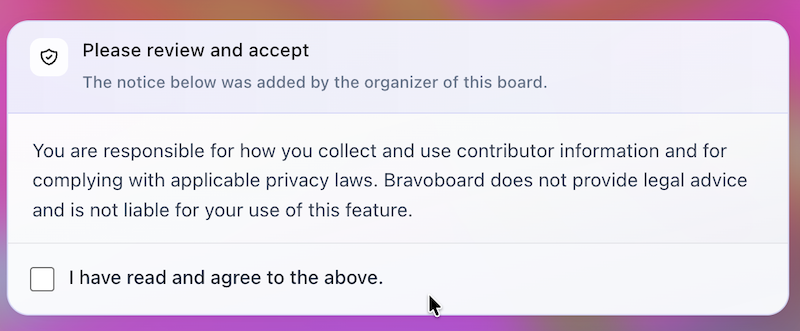
Open the board, then start a message—guests see your notice and must tick to acknowledge before they can post. Bravoboard records each acknowledgement with a timestamp.

Contributor question
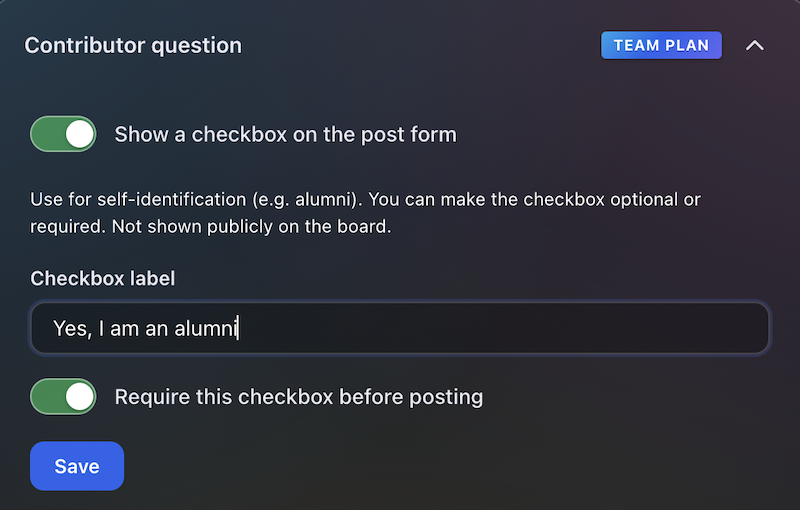
Same flow: open the board, then add a message—guests see your custom yes/no checkbox (your wording). Look for [] I would like to be included in future opportunities, in this example.

Embed & domain restriction
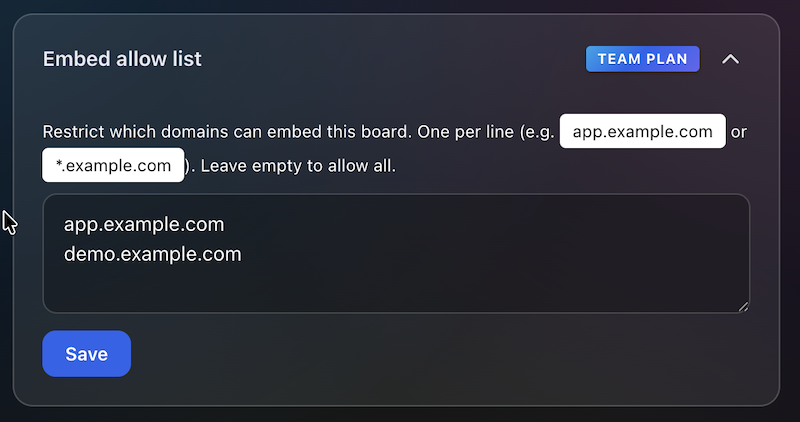
The same board experience, meant to be embedded on sites you have allowlisted.
Guests never see moderation queues or approval screens—those are for board owners and team admins. Use the Screenshots — how teams govern boards row for post review settings and the pending queue.
Team plan
How teams govern boards (screenshots)
These panels are where your team set rules.
Click a screenshot to open a larger view. Cards with several panels group those steps together—use the arrows in the viewer to follow the workflow.
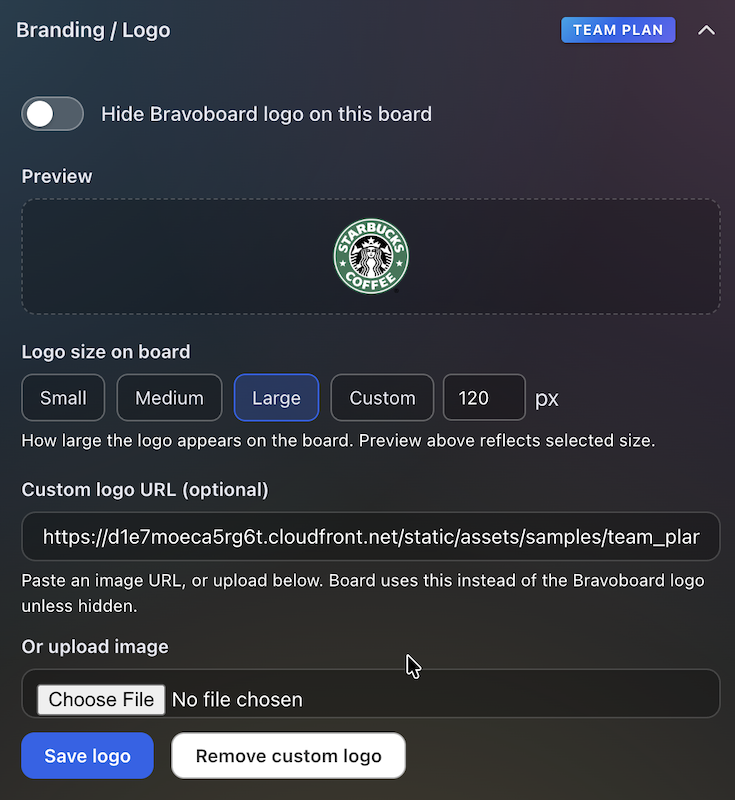
Branding & logo
Settings for uploading a logo and background so every team board matches your visual identity.
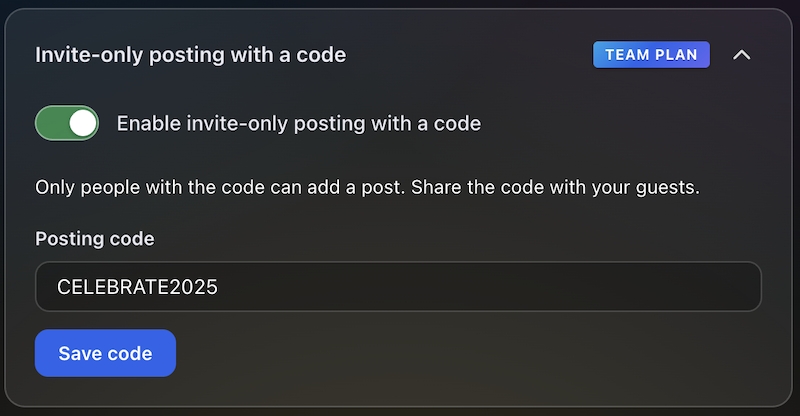
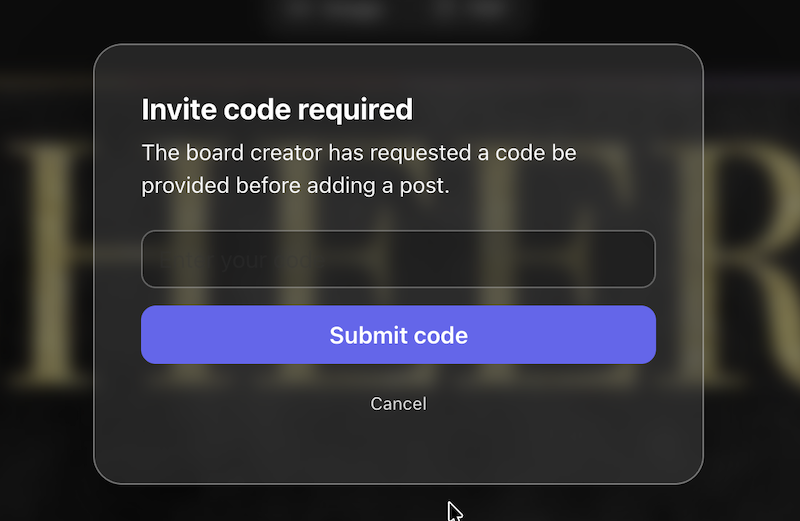
Post with Code / Invite only
Require a posting code for messages, or limit contributions to invited people only—so the wall stays readable while you control who can post.
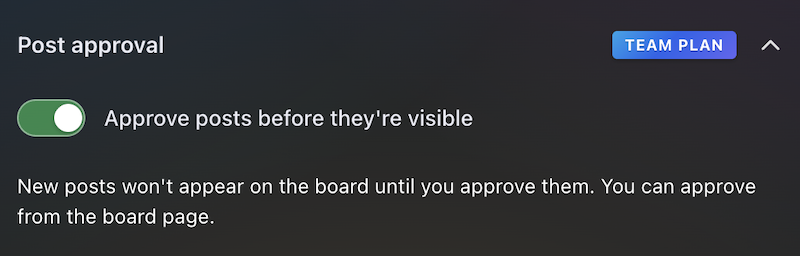
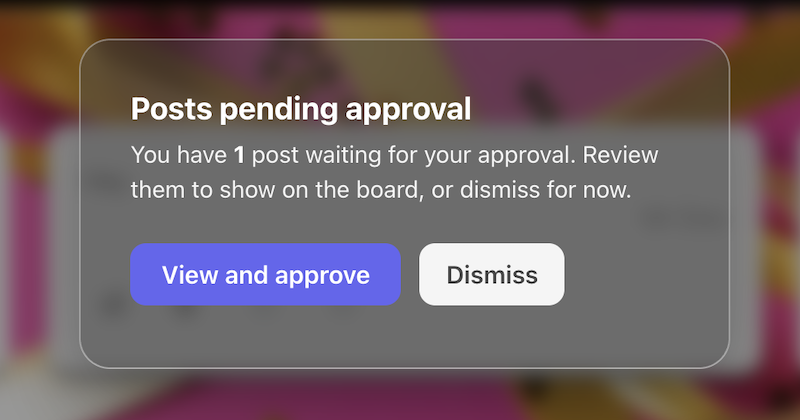
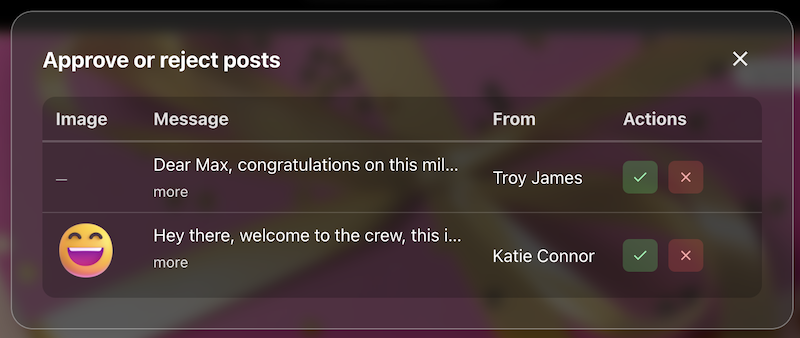
Post review
The queue or settings where approvers accept or hold posts before they appear on the live board.
Contributor opt-in
Turn on the notice contributors must read, edit the text, and require a checkbox before posting—acknowledgements are stored with timestamps for audits and CSV export.

Contributor question
Contributors see this checkbox when they add a message. You write the label (for example self-ID or a light policy line), make it optional or required, and keep answers for admins and CSV export—not on the public wall.
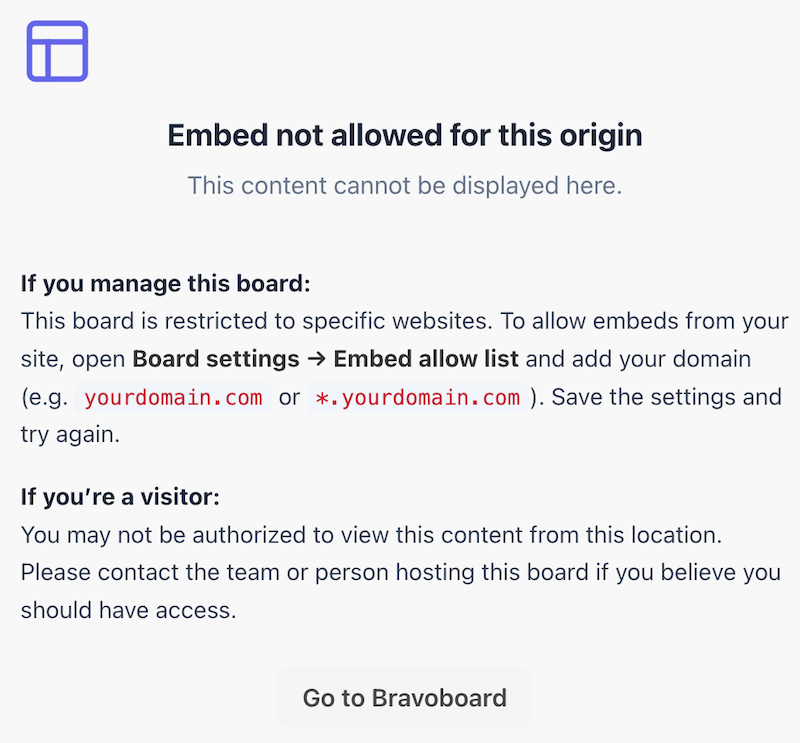
Embed domain control
Allowlist the sites that may embed this board, so it does not appear on random third-party pages.
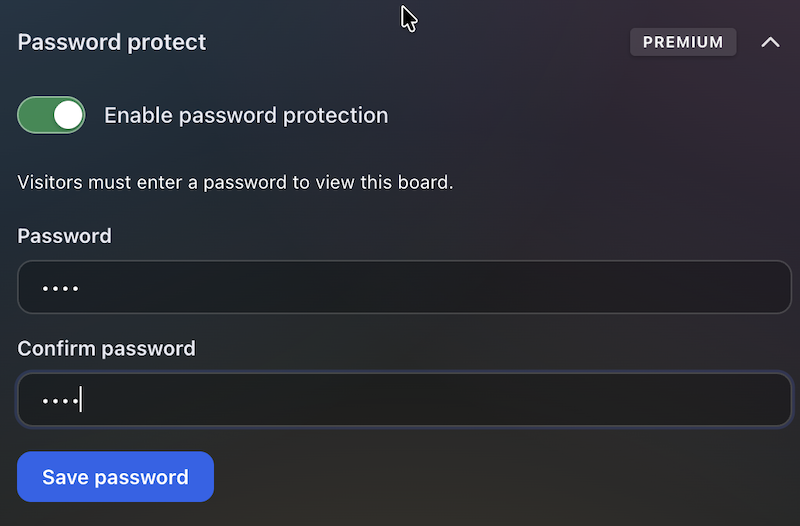
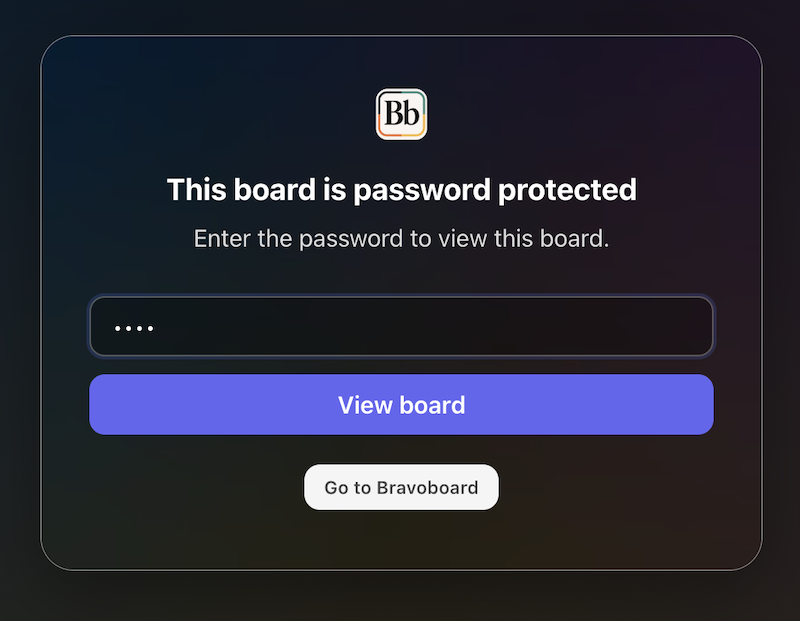
Password to view
Set a password so visitors must unlock the board before they can read it—separate from posting rules, posting codes, and invite-only contribution.
Latest Posts
You May Also Like

One board for a whole graduating class

Happy Birthday Wishes for Star Wars Fans

100 Welcome to the Team Messages for New Employees and Coworkers

50 Virtual Team Celebration Ideas for Remote Employees

How to Sign an Online Group Card (+ 75 Message Examples)

What to Write in a Group Card: 100 Message Ideas for Every Occasion

100 Birthday Wishes for Coworkers (Funny, Professional & Heartfelt)

100 Thank You Messages for Teachers to Show Your Appreciation

100 Boss Appreciation Messages to Say Thank You

100 Teacher Appreciation Messages to Say Thank You

100 Congratulations Messages for Every Occasion
