

Birthday Hashtags for Every Celebration
Need a birthday hashtag for a post, caption, card, or celebration? The best choice depends on the tone you want: simple, funny, heartfelt, milestone-focused, or social-media friendly.
Use the categories below to find a birthday hashtag that fits the person and the occasion. You can also combine a general birthday hashtag with the person’s name, age, hobby, or celebration theme to make it more personal.
Popular Birthday Hashtags
- #HappyBirthday: The classic and timeless hashtag to wish someone a happy birthday.
- #BirthdayWishes: A simple yet heartfelt hashtag to convey your best wishes for the birthday person.
- #BirthdayBliss: Wishing the birthday person a day filled with pure joy and happiness.
- #BirthdayLove: Expressing your love and affection for the birthday person.
- #CelebrateLife: Acknowledging the importance of celebrating life on a birthday.
- #BirthdayBlessings: Sending blessings and good wishes to the birthday person.
- #BirthdayJoy: Spreading joy and happiness on the birthday person's special day.
- #BirthdayBash: Indicating a grand and lively celebration for the birthday person.
- #SpecialDay: Recognizing the uniqueness and significance of the birthday person's day.
Funny Birthday Hashtags
- #PartyTime: Highlighting the festive and fun atmosphere of the birthday celebration.
- #AgeIsJustANumber: Emphasizing that age is irrelevant when it comes to celebrating a birthday.
- #PartyHard: Encouraging the birthday person to have a blast and enjoy the party to the fullest.
- #CakeTime: Highlighting the delicious and indulgent aspect of birthday celebrations.
Birthday Hashtags for Instagram
- #BirthdayVibes: Capturing the positive and joyful vibes of a birthday celebration.
- #BirthdayGoals: Setting aspirations and goals for the upcoming year of the birthday person's life.
- #BirthdayMemories: Reflecting on cherished memories and moments shared with the birthday person.
- #BirthdaySurprise: Building anticipation for a special surprise or gift for the birthday person.
Milestone Birthday Hashtags
- #CheersToAnotherYear: Celebrating the joy of another year added to the birthday person's life.
- #AgeWithGrace: Embracing the beauty and wisdom that comes with age.
Short Birthday Hashtags
- #MakeAWish: Encouraging the birthday person to make a special wish on their special day.
- #HBD: A popular abbreviation for "Happy Birthday" used in social media posts.
How to Choose a Birthday Hashtag
Start with one clear birthday hashtag, then add something specific to the person or celebration. Their name, age, hobby, relationship, or party theme can make a simple hashtag more memorable and easier for friends and family to recognize.
If several people are celebrating someone together, you can also collect everyone’s notes, photos, and birthday wishes in an online birthday group card.
Frequently Asked Questions
What are some simple birthday hashtags?
Simple options include #HappyBirthday, #BirthdayWishes, #BirthdayLove, #BirthdayJoy, and #BirthdayCelebration. Choose one or two that match the tone of your post rather than adding a long list.
How do I make a birthday hashtag personal?
Add the person’s name, nickname, age, hobby, or celebration theme to a basic birthday phrase. A personalized hashtag is usually more meaningful than a generic one.
Can I use birthday hashtags in a card or group message?
Yes. A short birthday hashtag can work as a playful finishing touch in a card, caption, group message, or online birthday board, especially when it reflects an inside joke or shared theme.
Ready to collect messages? Create your board in 60 seconds.
Create your boardComments
Comments appear after a quick review (usually within 3 hours). Be kind and on-topic
Comments
No published comments yet — share yours and help the next reader.
Add a comment
Thank you—we received your comment
Comments appear after a quick review (usually within 3 hours).
See it in action
Explore the sample boards below, then create your own for your group.
⟡ Bravoboard Samples
Get inspired by real boards
Real sample boards for everyday celebrations and milestones. Explore Bravoboard use cases
Sample gallery
Occasion and celebration boards
Browse sample boards and digital celebration walls for birthdays, holidays, work anniversaries, thank-yous, farewells, and more. Each link opens a real Bravoboard so you can see how people add messages and photos on a shared page—the same experience you get for personal boards. If you are also evaluating Bravoboard for a workplace, there are additional samples below for branding and admin-friendly privacy and moderation controls.
Sample board links open in a new browser tab.

Happy Holidays

Work Anniversary


Happy Birthday!

Get Well Soon / Recovery

Deepest Sympathies

Virtual going away card

Work Promotion

Joy and Wonder!

Celebrating Parents

4th July Holiday

Just Be Creative
Looking for workplace-oriented examples? Samples below cover branding, access rules, moderation, and embed settings.
Team plan
What guests see (Live boards)
Open a sample to experience the board the way a visitor does. For Opt-in & acknowledgement and Contributor question, open the board and then use Add message (or your board’s equivalent)—those controls appear on the new-post form, not the wall.

Branded board
See your logo and background on the wall so the board feels on-brand for your organisation.

Password to view
Guests must enter the password before they can see the board. Try adding a message, use BRAVO as the password to unlock.
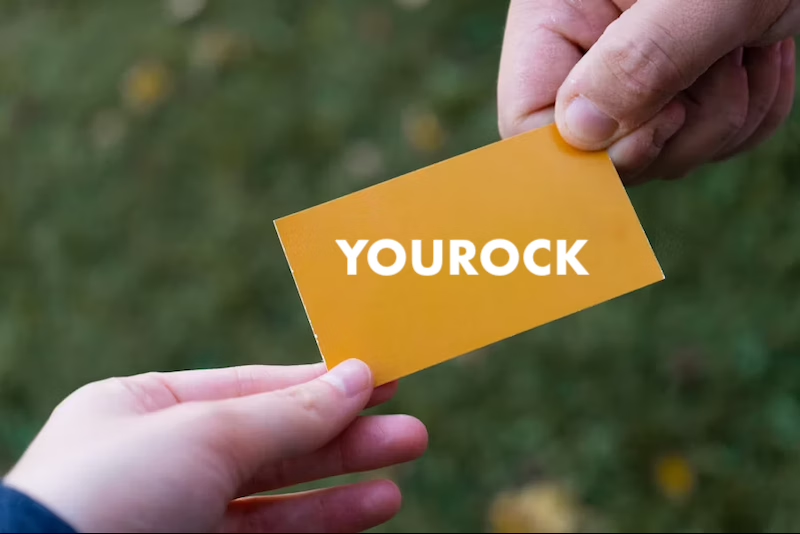
Post with Code / Invite only
Anyone who can view the board still needs the posting code before they can add a message. Try adding a message, use invite code YOUROCK when prompted.

Opt-in & acknowledgement
Open the board, then start a message—guests see your notice and must tick to acknowledge before they can post. Bravoboard records each acknowledgement with a timestamp.

Contributor question
Same flow: open the board, then add a message—guests see your custom yes/no checkbox (your wording). Look for [] I would like to be included in future opportunities, in this example.

Embed & domain restriction
The same board experience, meant to be embedded on sites you have allowlisted.
Guests never see moderation queues or approval screens—those are for board owners and team admins. Use the Screenshots — how teams govern boards row for post review settings and the pending queue.
Team plan
How teams govern boards (screenshots)
These panels are where your team set rules.
Click a screenshot to open a larger view. Cards with several panels group those steps together—use the arrows in the viewer to follow the workflow.
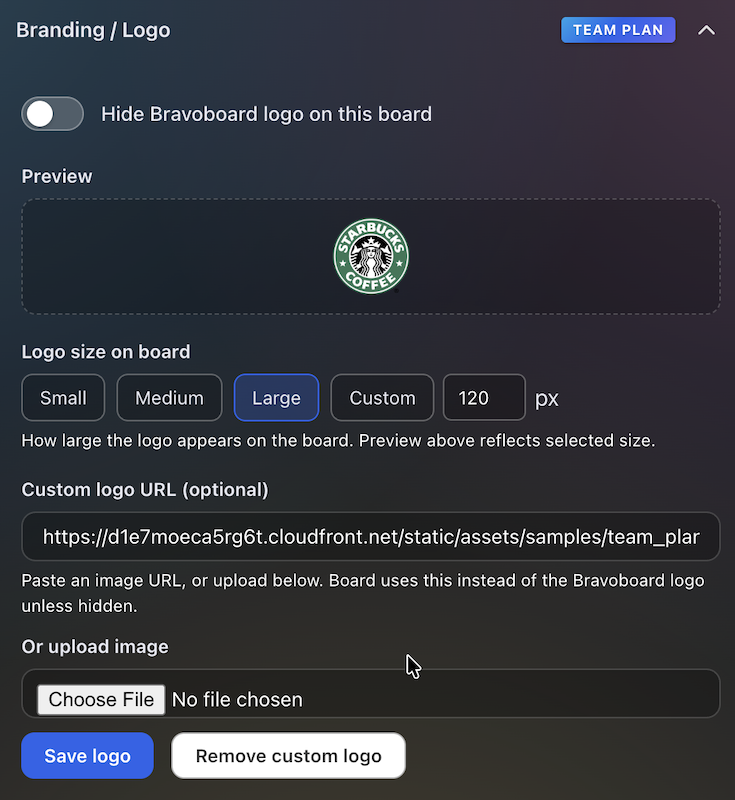
Branding & logo
Settings for uploading a logo and background so every team board matches your visual identity.
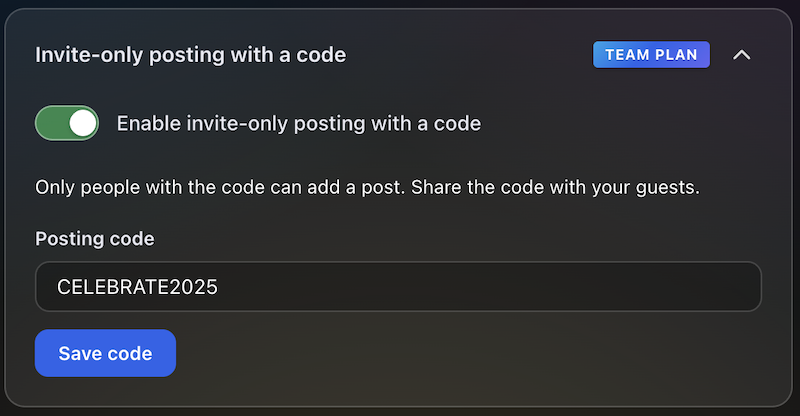
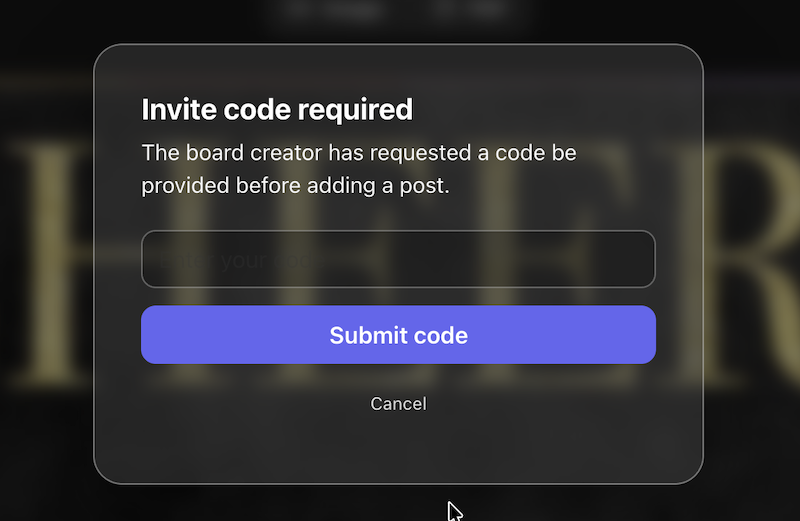
Post with Code / Invite only
Require a posting code for messages, or limit contributions to invited people only—so the wall stays readable while you control who can post.
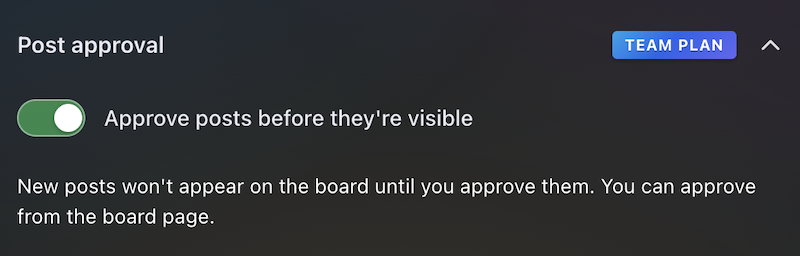
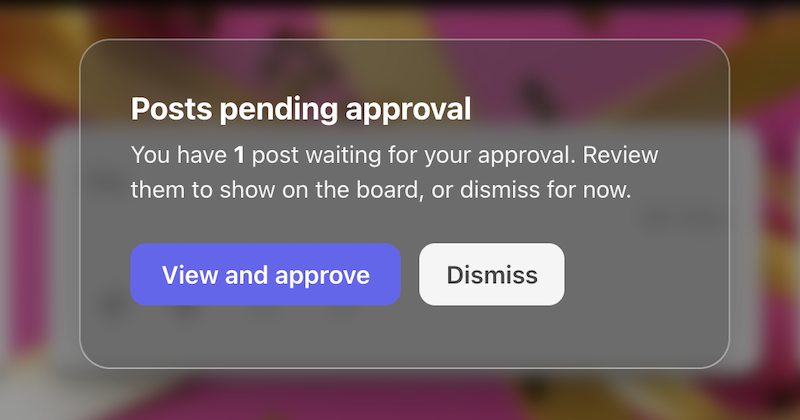
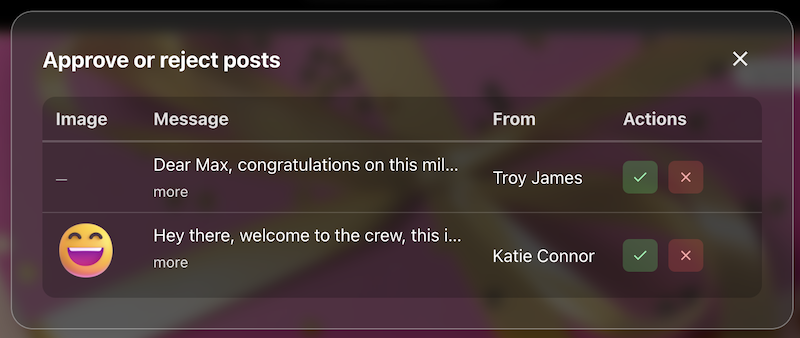
Post review
The queue or settings where approvers accept or hold posts before they appear on the live board.
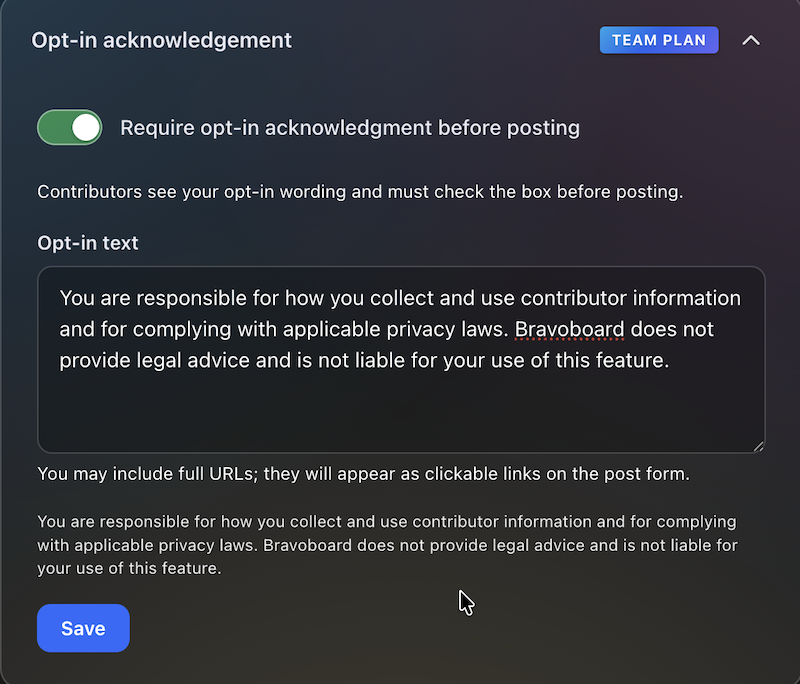
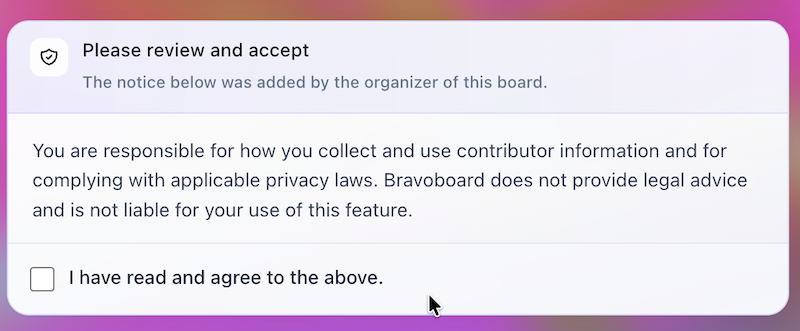
Contributor opt-in
Turn on the notice contributors must read, edit the text, and require a checkbox before posting—acknowledgements are stored with timestamps for audits and CSV export.
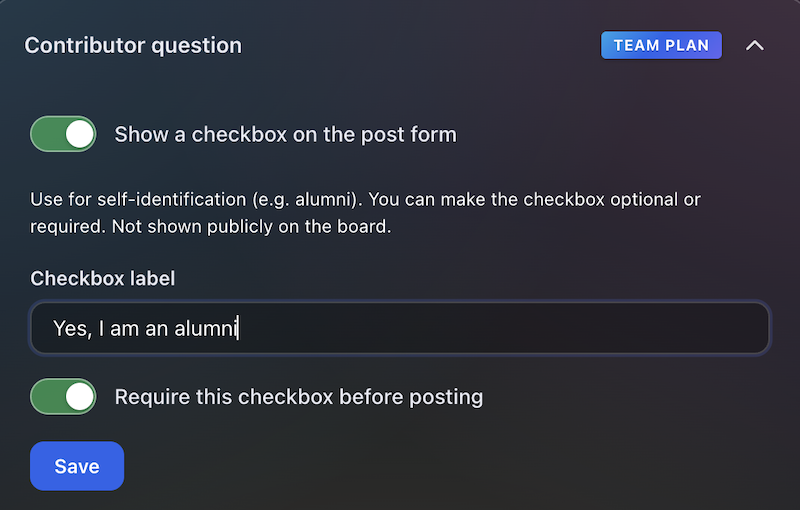

Contributor question
Contributors see this checkbox when they add a message. You write the label (for example self-ID or a light policy line), make it optional or required, and keep answers for admins and CSV export—not on the public wall.
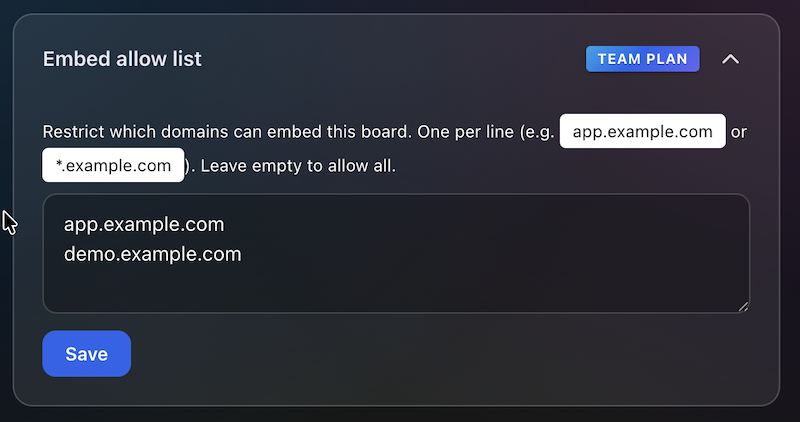
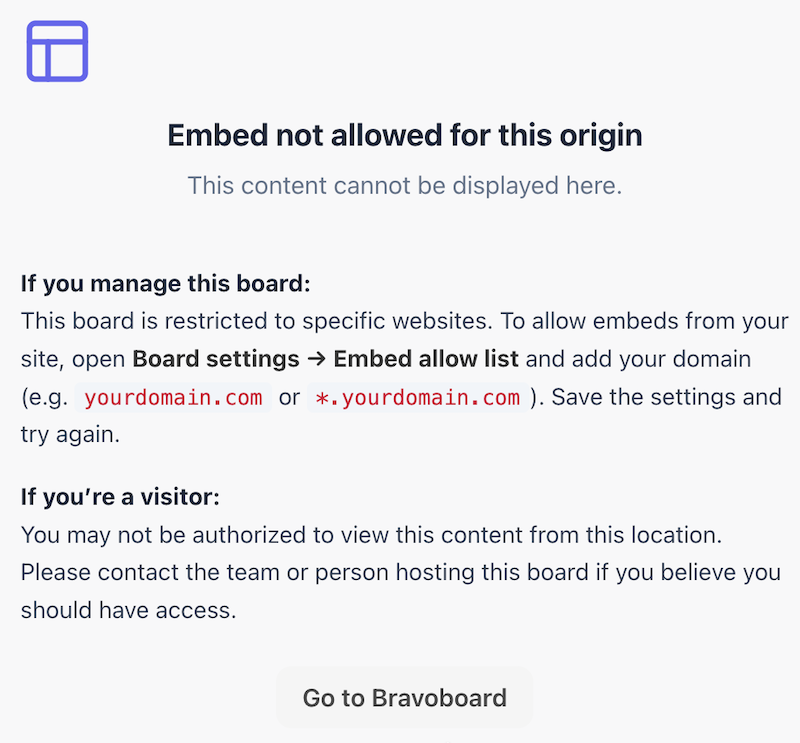
Embed domain control
Allowlist the sites that may embed this board, so it does not appear on random third-party pages.
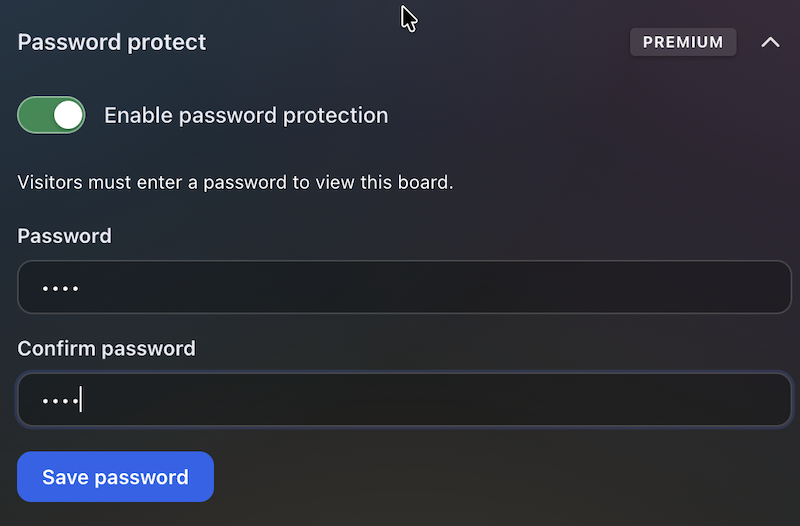
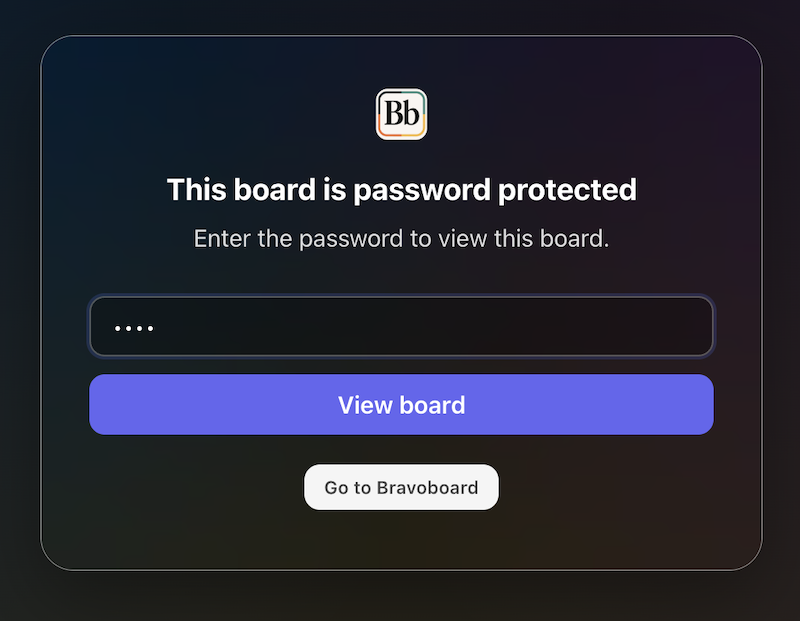
Password to view
Set a password so visitors must unlock the board before they can read it—separate from posting rules, posting codes, and invite-only contribution.
You May Also Like

100 Farewell Messages for Coworkers (Heartfelt, Funny & Professional)

Thoughtful Messages to Celebrate Boss's Day!

Canadian Thanksgiving Day Wishes

Hilarious and Heartfelt Wedding Thank You Card Messages

Happy Birthday Wishes for Car Fans

Happy Birthday Wishes for Gamers

Happy Birthday Wishes for Star Wars Fans

One board for a whole graduating class

100 Welcome to the Team Messages for New Employees and Coworkers

50 Virtual Team Celebration Ideas for Remote Employees

How to Sign an Online Group Card (+ 75 Message Examples)
