

Thoughtful Diwali Wishes to Share at Work
A single candle can light a thousand more, and the life of the candle will not be shortened. Happiness never decreases by being shared.
- Buddha
Diwali, the Festival of Lights, isn’t just about diyas, sweets, and celebrations at home. In the workplace, it’s a moment to pause, to look around, appreciate the people who make our daily work meaningful, and share a bit of light where it’s needed most.
This time of year, deadlines may still loom, inboxes still overflow, but Diwali reminds us that gratitude doesn’t need perfect timing. It just needs intention.
When we express appreciation, even through a few kind words, we strengthen team bonds, ease stress, and remind one another that work can be both productive and human. So whether your team celebrates Diwali together, or you’re simply marking the moment in your own way, here are some messages and ideas to share light and warmth at work this season.
Professional Diwali Messages
These are ideal for company-wide notes, manager emails, or Slack shoutouts, anywhere you want to express gratitude while keeping things simple and thoughtful.
Wishing you a bright and peaceful Diwali! May your week be filled with small wins, warm connections, and quiet moments to recharge.
Happy Diwali! Grateful for everyone who brings steady light to our projects, the consistent effort, kindness, and teamwork that often go unseen.
This Diwali, let’s celebrate the people behind the progress. Thank you for showing up with dedication and care every day.
Wishing everyone a joyful Diwali and a fresh start filled with ideas, collaboration, and optimism.
When these resonate best:
Use them for all-team announcements, newsletters, or morning huddles where tone needs to stay professional but heartfelt.
Diwali messages to build connections
If you’re writing as a peer or team member, these messages add warmth and shared gratitude without being overly formal.
Happy Diwali, team! You make work brighter every day, with your humor, your support, and your drive to make things better.
Here’s to more light, laughter, and teamwork. Grateful to be surrounded by people who genuinely care about what they do.
May this Diwali remind us that a little kindness and patience can spark big things, just like a single diya can fill a room with light.
Wishing everyone good energy, creative ideas, and the time to celebrate what we’ve achieved together.
When these resonate best:
Great for posting in team channels, group cards, or end-of-week messages. Especially when you want to lift morale before the holiday break.
Diwali Messages for Managers and Leaders
Diwali can be the perfect time to thank those who’ve guided, supported, or simply believed in you at work.
Wishing you a warm and happy Diwali! Thank you for being a steady light for our team, always encouraging, always leading with calm.
May your Diwali be filled with peace and reflection. Your clarity and consistency help us shine brighter as a team.
Happy Diwali! Thank you for your guidance and for reminding us that good work comes from trust and collaboration.
When these resonate best:
Use these for personal notes or private messages. They’re especially meaningful when paired with a small acknowledgment, like a handwritten card or a few words in a meeting.
Heartfelt and Personal Diwali Messages
Sometimes, the best messages are simple truths, words that don’t sound rehearsed but come from genuine care.
Wishing you light and warmth this Diwali. You make our workplace feel more human and kind, that’s a gift we all benefit from.
This season, I’m grateful for the way we support one another, through challenges, through late nights, through it all.
Diwali reminds me how much brighter work feels when you’re surrounded by good people. I’m thankful for our team every day.
May your home and heart glow with light, laughter, and calm. Happy Diwali to you and your loved ones.
When these resonate best:
Perfect for one-on-one notes, especially when you’ve shared meaningful moments with someone, a tough project, a success, or even a learning curve together.
Inclusive Diwali Greetings
Not everyone celebrates Diwali in the same way, but its spirit of light, renewal, and togetherness is universal.
Wishing everyone a season of reflection and gratitude. May this Diwali bring calm energy and new beginnings for all.
Whether or not you celebrate, may this time of year remind us of the value of kindness, generosity, and connection.
Diwali is about finding light even in the busiest seasons, here’s to balance, warmth, and a bit of joy for everyone.
When these resonate best:
These work beautifully for multicultural teams or global workplaces where inclusivity matters. They honor the essence of the festival without assuming shared customs.
Ideas to make Diwali more meaningful
Small gestures can make a workplace celebration feel personal:
-
Share a gratitude thread where each person tags a teammate they appreciate.
-
-
Start your next meeting with a quick “Diwali reflections” round, one thing you’re grateful for this year.
-
-
Swap sweet treats, recipes, or family traditions to learn from each other’s cultures.
-
-
Create a “Light Wall”, a simple shared document or space where everyone adds one word that represents what light means to them.
-
Gratitude grows when it’s shared, and Diwali is the perfect excuse to start.
As diyas flicker and inboxes quiet (even if just for a moment), may we remember that gratitude isn’t about grand gestures, it’s about noticing, acknowledging, and passing light forward.
Wishing you a Diwali filled with warmth and renewed purpose, in work and in life. 🌼
Ready to collect messages? Create your board in 60 seconds.
Create your boardComments
Comments appear after a quick review (usually within 3 hours). Be kind and on-topic
Comments
No published comments yet — share yours and help the next reader.
Add a comment
Thank you—we received your comment
Comments appear after a quick review (usually within 3 hours).
See it in action
Explore the sample boards below, then create your own for your group.
⟡ Bravoboard Samples
Get inspired by real boards
Real sample boards for everyday celebrations and milestones. Explore Bravoboard use cases
Sample gallery
Occasion and celebration boards
Browse sample boards and digital celebration walls for birthdays, holidays, work anniversaries, thank-yous, farewells, and more. Each link opens a real Bravoboard so you can see how people add messages and photos on a shared page—the same experience you get for personal boards. If you are also evaluating Bravoboard for a workplace, there are additional samples below for branding and admin-friendly privacy and moderation controls.
Sample board links open in a new browser tab.

Happy Holidays

Work Anniversary


Happy Birthday!

Get Well Soon / Recovery

Deepest Sympathies

Virtual going away card

Work Promotion

Joy and Wonder!

Celebrating Parents

4th July Holiday

Just Be Creative
Looking for workplace-oriented examples? Samples below cover branding, access rules, moderation, and embed settings.
Team plan
What guests see (Live boards)
Open a sample to experience the board the way a visitor does. For Opt-in & acknowledgement and Contributor question, open the board and then use Add message (or your board’s equivalent)—those controls appear on the new-post form, not the wall.

Branded board
See your logo and background on the wall so the board feels on-brand for your organisation.

Password to view
Guests must enter the password before they can see the board. Try adding a message, use BRAVO as the password to unlock.

Post with Code / Invite only
Anyone who can view the board still needs the posting code before they can add a message. Try adding a message, use invite code YOUROCK when prompted.

Opt-in & acknowledgement
Open the board, then start a message—guests see your notice and must tick to acknowledge before they can post. Bravoboard records each acknowledgement with a timestamp.

Contributor question
Same flow: open the board, then add a message—guests see your custom yes/no checkbox (your wording). Look for [] I would like to be included in future opportunities, in this example.

Embed & domain restriction
The same board experience, meant to be embedded on sites you have allowlisted.
Guests never see moderation queues or approval screens—those are for board owners and team admins. Use the Screenshots — how teams govern boards row for post review settings and the pending queue.
Team plan
How teams govern boards (screenshots)
These panels are where your team set rules.
Click a screenshot to open a larger view. Cards with several panels group those steps together—use the arrows in the viewer to follow the workflow.
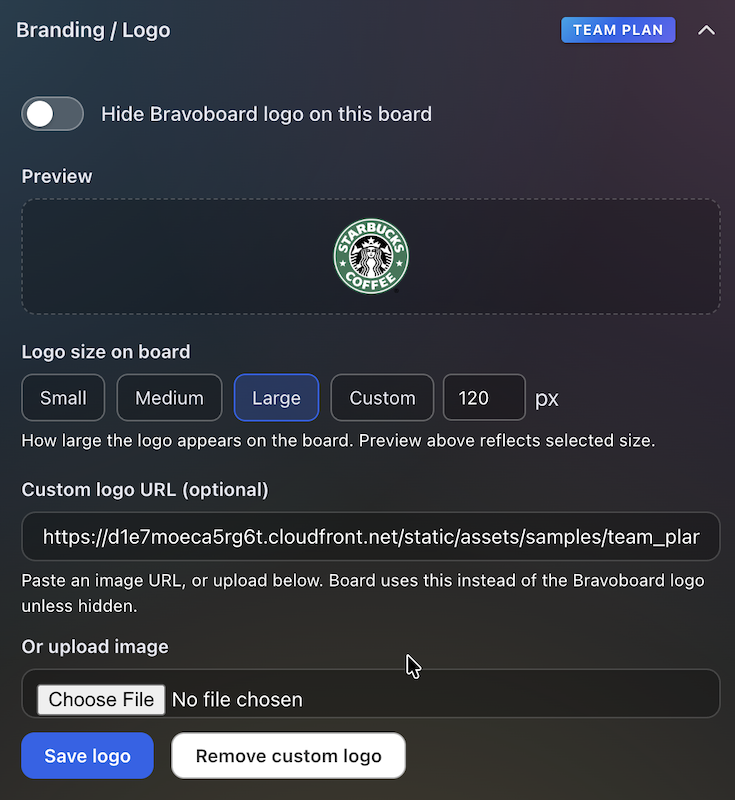
Branding & logo
Settings for uploading a logo and background so every team board matches your visual identity.
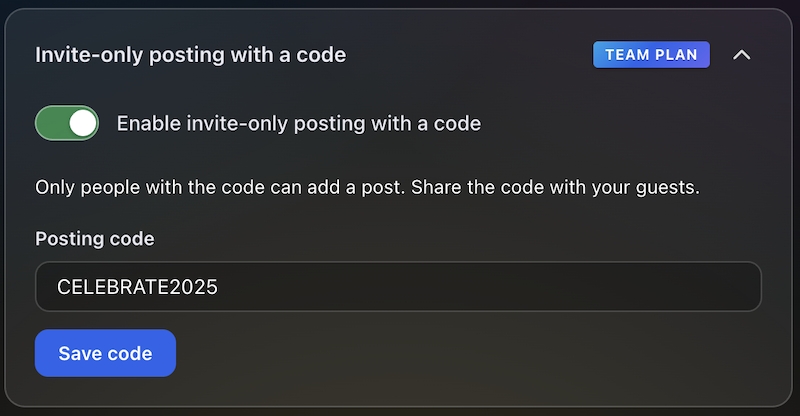
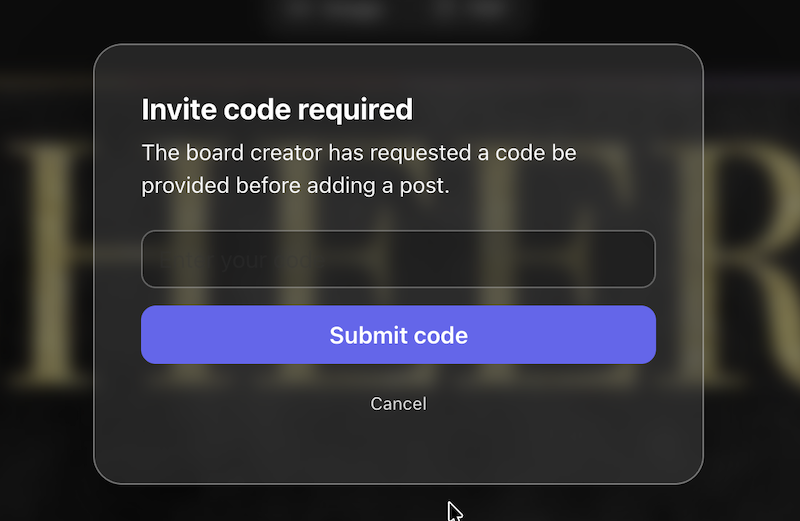
Post with Code / Invite only
Require a posting code for messages, or limit contributions to invited people only—so the wall stays readable while you control who can post.
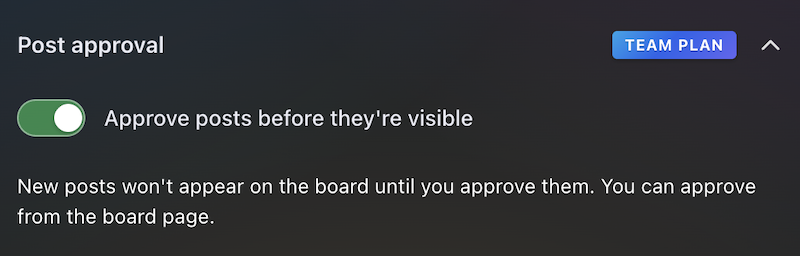
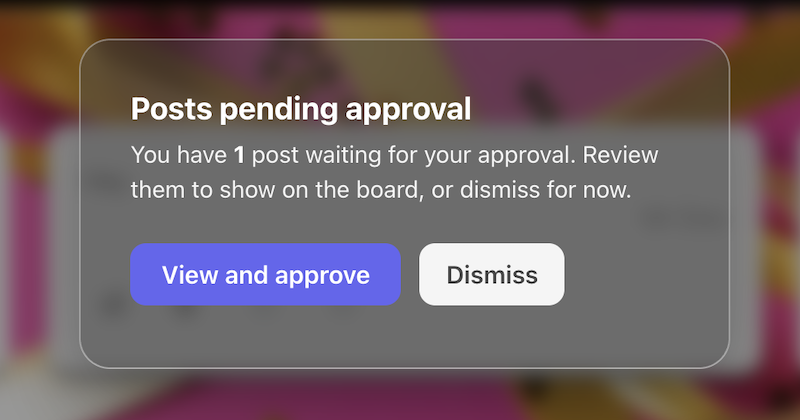
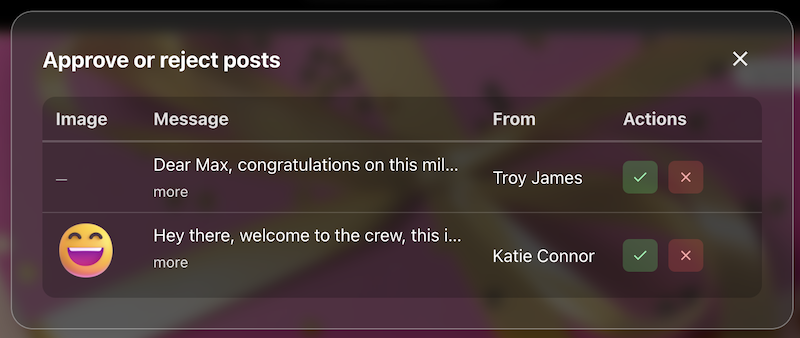
Post review
The queue or settings where approvers accept or hold posts before they appear on the live board.
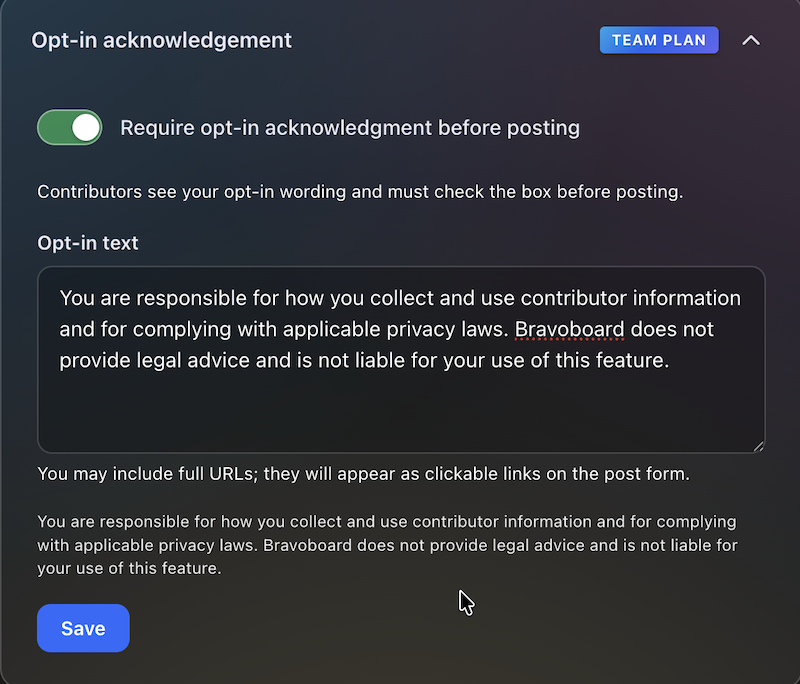
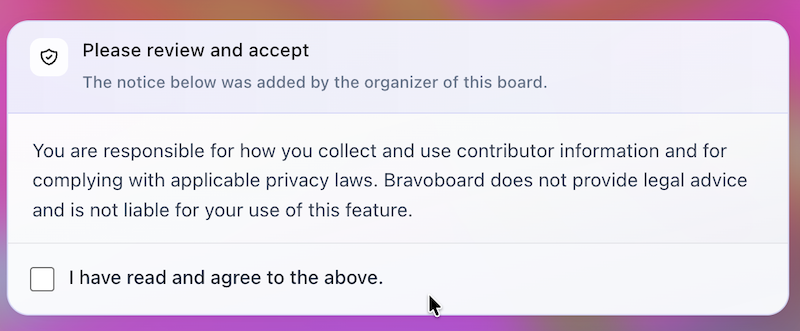
Contributor opt-in
Turn on the notice contributors must read, edit the text, and require a checkbox before posting—acknowledgements are stored with timestamps for audits and CSV export.
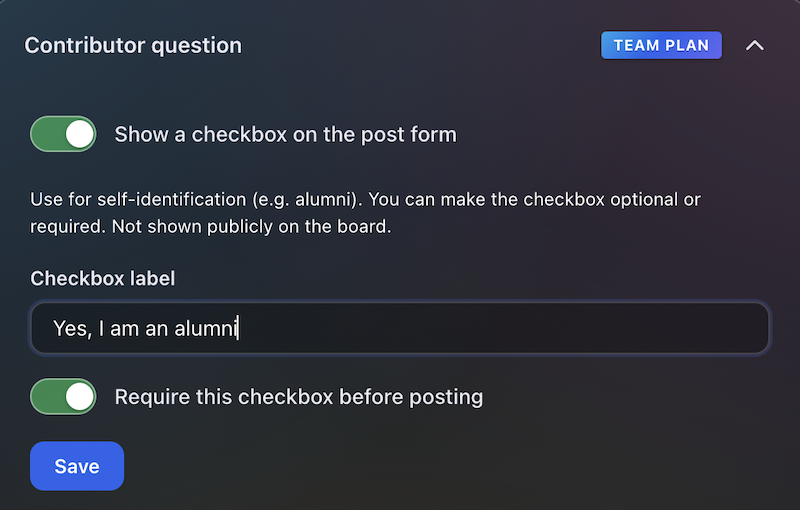

Contributor question
Contributors see this checkbox when they add a message. You write the label (for example self-ID or a light policy line), make it optional or required, and keep answers for admins and CSV export—not on the public wall.
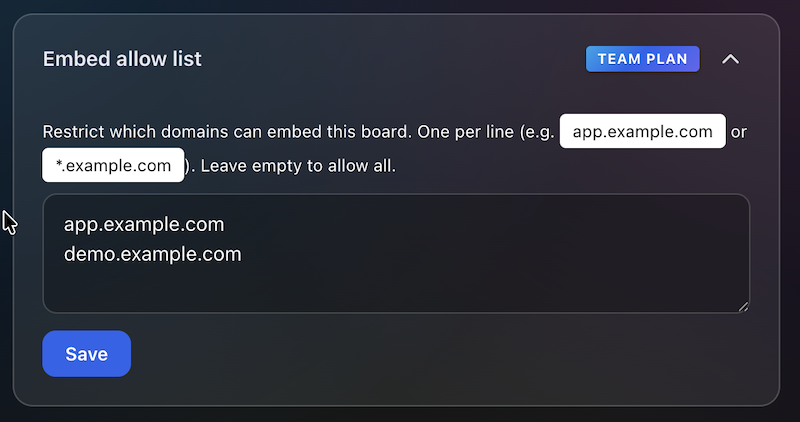

Embed domain control
Allowlist the sites that may embed this board, so it does not appear on random third-party pages.
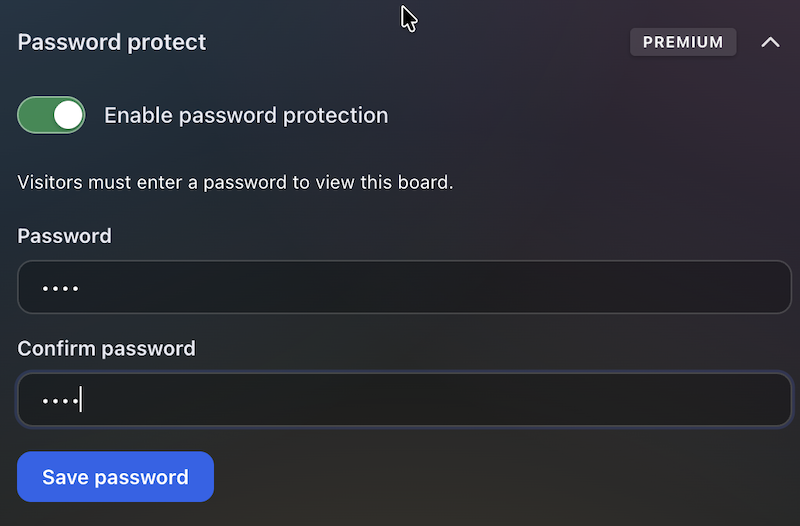
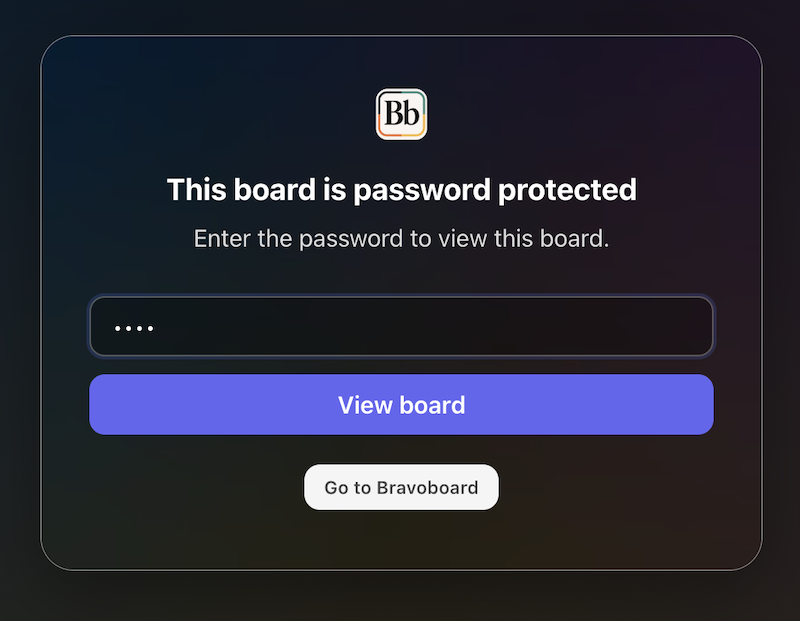
Password to view
Set a password so visitors must unlock the board before they can read it—separate from posting rules, posting codes, and invite-only contribution.
Latest Posts
You May Also Like

One board for a whole graduating class

Happy Birthday Wishes for Star Wars Fans

100 Welcome to the Team Messages for New Employees and Coworkers

50 Virtual Team Celebration Ideas for Remote Employees

How to Sign an Online Group Card (+ 75 Message Examples)

What to Write in a Group Card: 100 Message Ideas for Every Occasion

100 Birthday Wishes for Coworkers (Funny, Professional & Heartfelt)

100 Thank You Messages for Teachers to Show Your Appreciation

100 Boss Appreciation Messages to Say Thank You

100 Teacher Appreciation Messages to Say Thank You

100 Congratulations Messages for Every Occasion
