

A gentle welcome back after illness, injury, or leave
Not every return calls for balloons.
Sometimes the milestone is quieter than that.
Someone comes back after surgery.
After treatment.
After an injury.
After burnout.
After parental leave.
After a season of grief, caregiving, or simply trying to get through something hard.
People want to be kind. They want to say, “We missed you.” They want to say, “We are glad you are here.”
But when a life event is tender, even a warm welcome can feel like too much if it arrives in the wrong way.
That is what makes a welcome-back board so thoughtful.
It gives people a way to show care without putting someone on the spot.
This is not a party board
That is the most important thing to understand.
A comeback or welcome-back board is not about making a big scene. It is not about forcing cheerfulness. It is not about asking someone to explain where they have been, how they are feeling, or what they are ready to share.
It is simply a place for kindness to gather.
A few words from coworkers.
A note from friends.
A gentle message from family.
Something they can open when they feel ready.
That is what makes it different.
It gives support without demanding a performance.
Why this kind of gesture can mean so much
Coming back after a hard season can feel strange.
Even when someone is happy to return, they may also feel fragile. Tired. Uncertain. A little out of step. They may not know how much people know, what they are expected to say, or whether they want to talk at all.
That is why a board can be such a kind format.
It lets the welcome happen softly.
Instead of a room full of questions or a moment that suddenly becomes emotional in public, the person gets one place where warmth is waiting for them. They can read it privately. Slowly. In their own time.
That matters more than people realize.
Ask first
This is one of those moments where permission matters.
Before making a board, it helps to ask the person returning, or someone close to them who knows what would feel supportive.
Some people will love the idea.
Some will want something very small.
Some may not want a shared board at all.
That is okay.
The point is not to create the nicest gesture from the outside. The point is to offer something that actually feels good to receive.
If the answer is no, trust it.
If the answer is yes, keep it gentle.
What people can write
Simple prompts work best here.
You are not asking people to write a speech. You are just helping them show care in a steady, thoughtful way.
Good prompts might be:
- one sentence about being glad they are back
- a small memory of working with them or being around them
- a note of encouragement with no advice attached
- a short message of support for this next chapter
Usually, the best messages are the simplest ones.
“Thinking of you.”
“So glad you are back.”
“No pressure to reply. Just happy to see you.”
“You were missed.”
That kind of message gives comfort without asking for anything in return.
What to avoid
This part matters too.
People often mean well, but sensitive moments call for a little extra care.
Avoid:
- asking for details
- making jokes about illness, injury, exhaustion, or body changes
- comparing their experience to someone else’s
- giving advice unless it was clearly invited
- turning the board into a place for speculation or storytelling that is not yours to tell
The safest tone is warm, brief, and respectful.
Let the person returning decide how much of their story belongs in the room.
Why boundaries are a kindness, not a barrier
Sometimes people hear words like approval, opt-in, or moderation and worry that it sounds cold.
In a moment like this, it is the opposite.
These tools can actually make the board feel safer.
If contributors have to pause and agree to a simple note before posting, that can help set the tone.
If someone trusted can review messages before they appear, that can protect the person returning from awkward, overly personal, or unhelpful posts.
That is not about control.
It is about building trust into the experience.
When someone is coming back from something hard, those quiet signs of care matter.
Timing matters too
A thoughtful board usually works best when it does not arrive all at once in a big burst.
You might start it with a small circle before the person returns, so a few kind messages are already there.
Then, on the first day back or around that time, you can share the link privately.
That gives the person space to take it in on their own terms.
Some people may read everything right away. Others may wait until the end of the day. Others may come back to it later, when the emotions of returning have settled a little.
That is the beauty of it.
The kindness is there when they are ready.
Public is not always better
This is another place where quieter is often wiser.
A welcome-back board for a sensitive life event does not need to be public to matter. In many cases, it is better if it is not.
A smaller circle can feel more sincere.
A private link can feel more protective.
A carefully shared board can feel more trustworthy.
The goal is not visibility.
The goal is comfort.
That is a good rule for this whole kind of post.
Why this is such a meaningful use of Bravoboard
A lot of people think of Bravoboard in terms of celebration.
Birthdays.
Milestones.
Retirements.
Happy moments that are easy to name.
This is something different.
This is a use case built around gentleness. Around care that does not need to be loud. Around helping someone feel remembered and welcomed without making them carry the emotional weight of everyone else’s reaction.
That is what makes it such a beautiful, less obvious fit.
It shows that Bravoboard can hold not just joy, but tenderness too.
If you are the one setting it up
Keep it simple.
Ask first.
Choose a warm title.
Invite a small, thoughtful group.
Set a kind tone.
Protect the person’s privacy.
Let the messages stay brief and human.
You do not need to make a moment out of it.
You just need to make a little room for care.
And when someone is finding their way back after a hard stretch, that can mean more than you know.
Ready to collect messages? Create your board in 60 seconds.
Create your boardComments
Comments appear after a quick review (usually within 3 hours). Be kind and on-topic
Comments (1)
yeah this feels right. ppl want to be kind, they just dont always know how to do it without making it awkward
Add a comment
Thank you—we received your comment
Comments appear after a quick review (usually within 3 hours).
See it in action
Explore the sample boards below, then create your own for your group.
⟡ Bravoboard Samples
Get inspired by real boards
Real sample boards for everyday celebrations and milestones. Explore Bravoboard use cases
Sample gallery
Occasion and celebration boards
Browse sample boards and digital celebration walls for birthdays, holidays, work anniversaries, thank-yous, farewells, and more. Each link opens a real Bravoboard so you can see how people add messages and photos on a shared page—the same experience you get for personal boards. If you are also evaluating Bravoboard for a workplace, there are additional samples below for branding and admin-friendly privacy and moderation controls.
Sample board links open in a new browser tab.

Happy Holidays

Work Anniversary

Happy Birthday!

Get Well Soon / Recovery

Deepest Sympathies

Virtual going away card

Work Promotion

Joy and Wonder!
Celebrating Parents

4th July Holiday

Just Be Creative
Looking for workplace-oriented examples? Samples below cover branding, access rules, moderation, and embed settings.
Team plan
What guests see (Live boards)
Open a sample to experience the board the way a visitor does. For Opt-in & acknowledgement and Contributor question, open the board and then use Add message (or your board’s equivalent)—those controls appear on the new-post form, not the wall.

Branded board
See your logo and background on the wall so the board feels on-brand for your organisation.

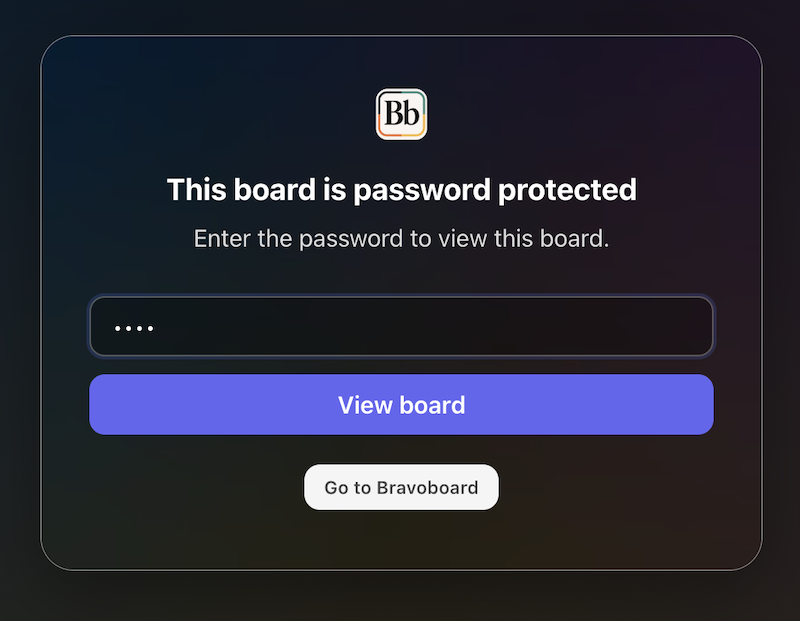
Password to view
Guests must enter the password before they can see the board. Try adding a message, use BRAVO as the password to unlock.
Post with Code / Invite only
Anyone who can view the board still needs the posting code before they can add a message. Try adding a message, use invite code YOUROCK when prompted.
Opt-in & acknowledgement
Open the board, then start a message—guests see your notice and must tick to acknowledge before they can post. Bravoboard records each acknowledgement with a timestamp.
Contributor question
Same flow: open the board, then add a message—guests see your custom yes/no checkbox (your wording). Look for [] I would like to be included in future opportunities, in this example.

Embed & domain restriction
The same board experience, meant to be embedded on sites you have allowlisted.
Guests never see moderation queues or approval screens—those are for board owners and team admins. Use the Screenshots — how teams govern boards row for post review settings and the pending queue.
Team plan
How teams govern boards (screenshots)
These panels are where your team set rules.
Click a screenshot to open a larger view. Cards with several panels group those steps together—use the arrows in the viewer to follow the workflow.
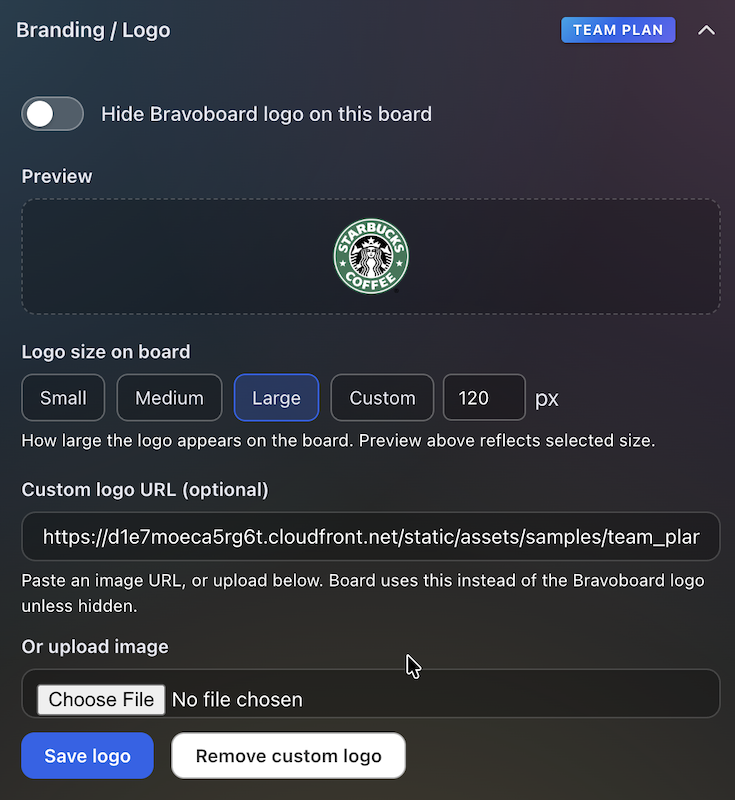
Branding & logo
Settings for uploading a logo and background so every team board matches your visual identity.
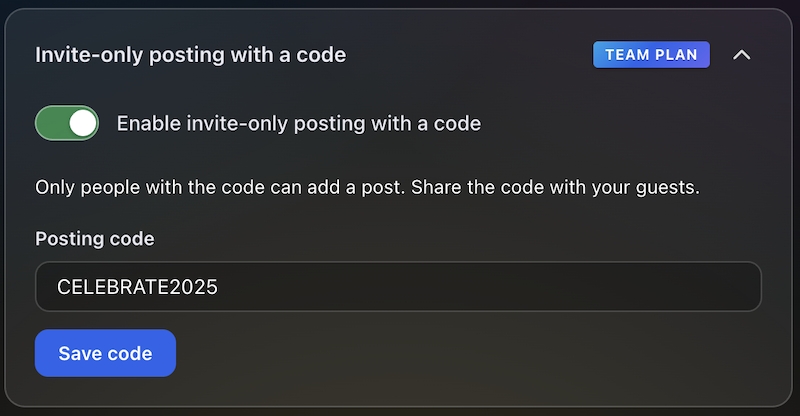
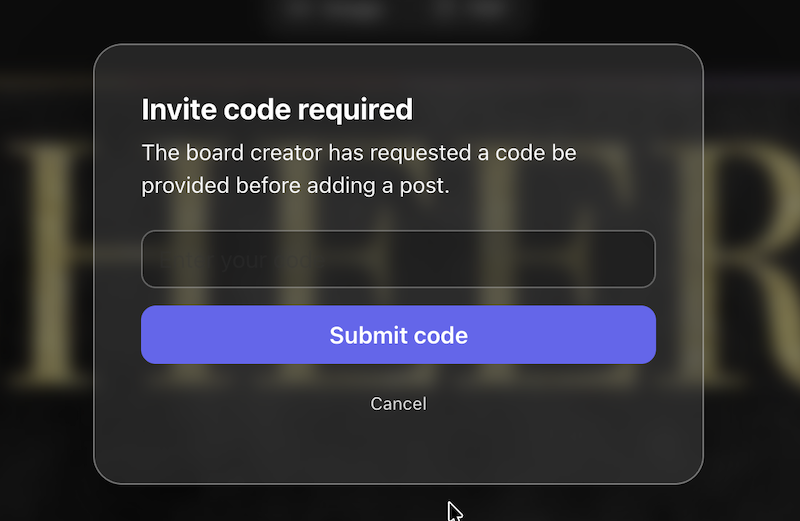
Post with Code / Invite only
Require a posting code for messages, or limit contributions to invited people only—so the wall stays readable while you control who can post.
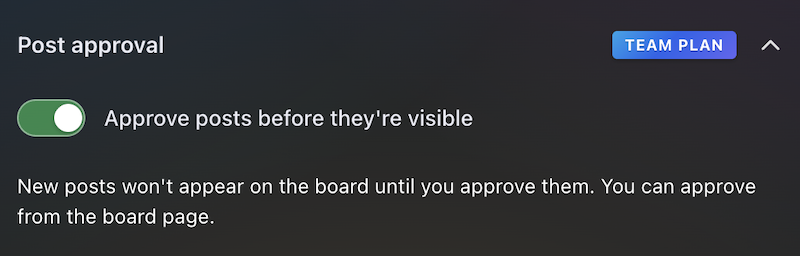
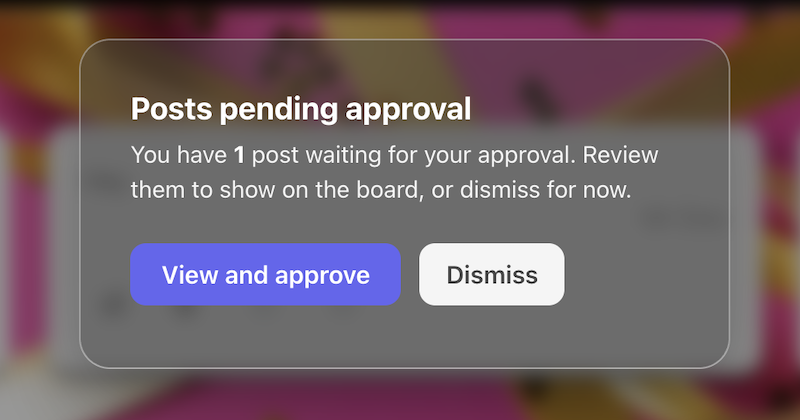
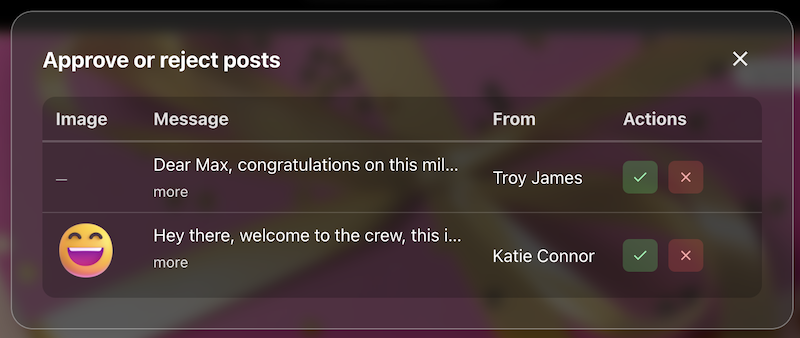
Post review
The queue or settings where approvers accept or hold posts before they appear on the live board.
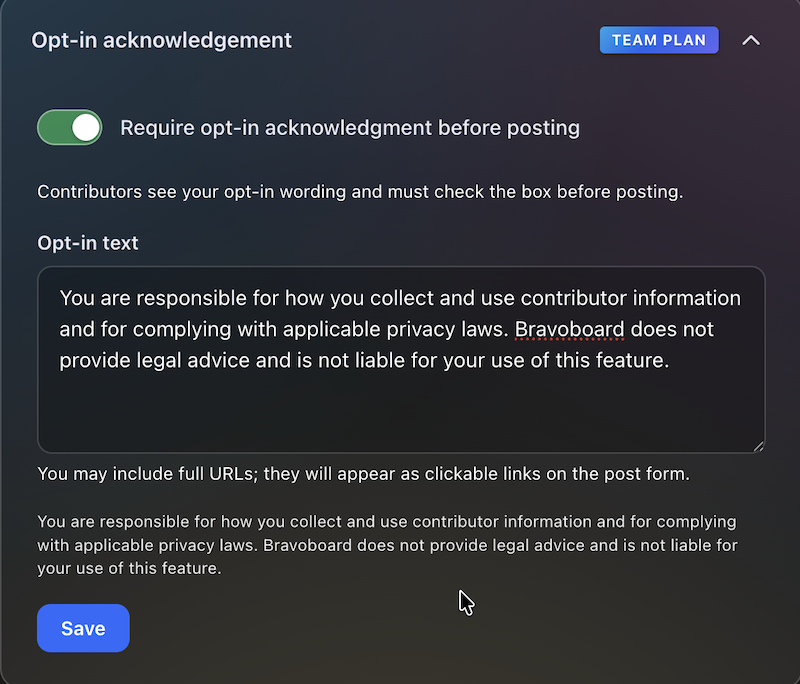
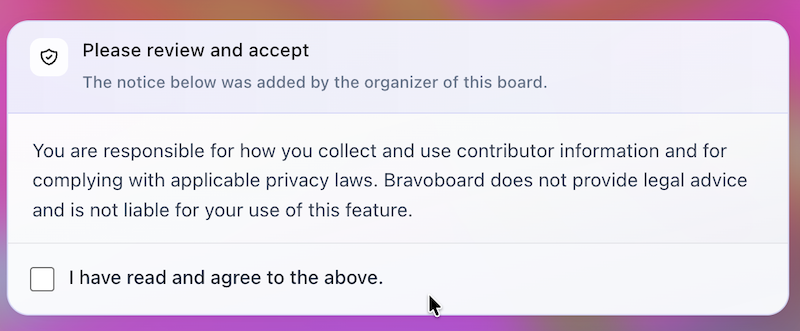
Contributor opt-in
Turn on the notice contributors must read, edit the text, and require a checkbox before posting—acknowledgements are stored with timestamps for audits and CSV export.
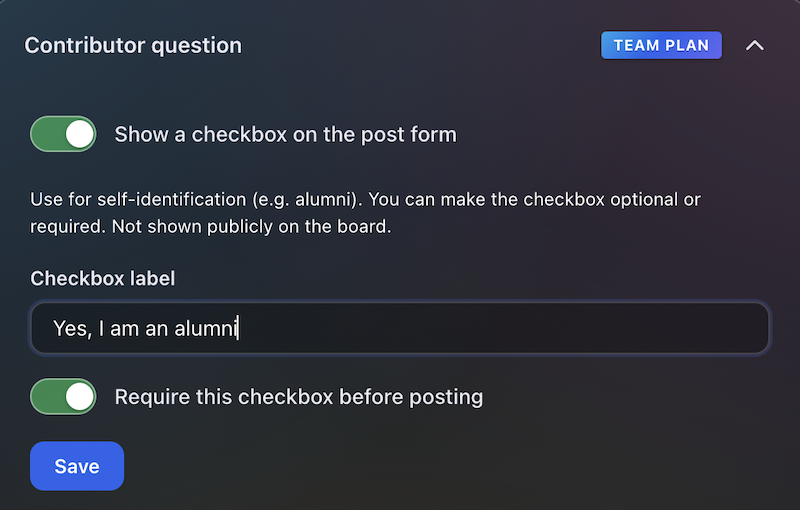

Contributor question
Contributors see this checkbox when they add a message. You write the label (for example self-ID or a light policy line), make it optional or required, and keep answers for admins and CSV export—not on the public wall.
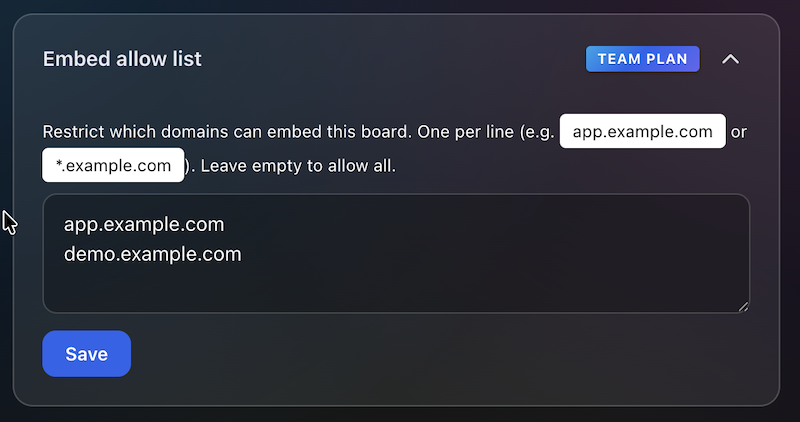
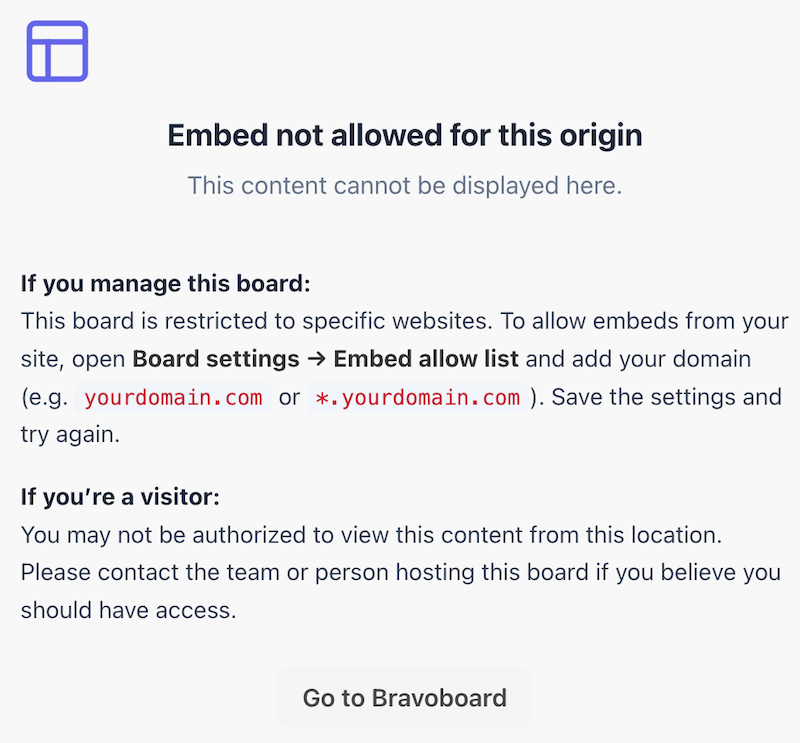
Embed domain control
Allowlist the sites that may embed this board, so it does not appear on random third-party pages.
Password to view
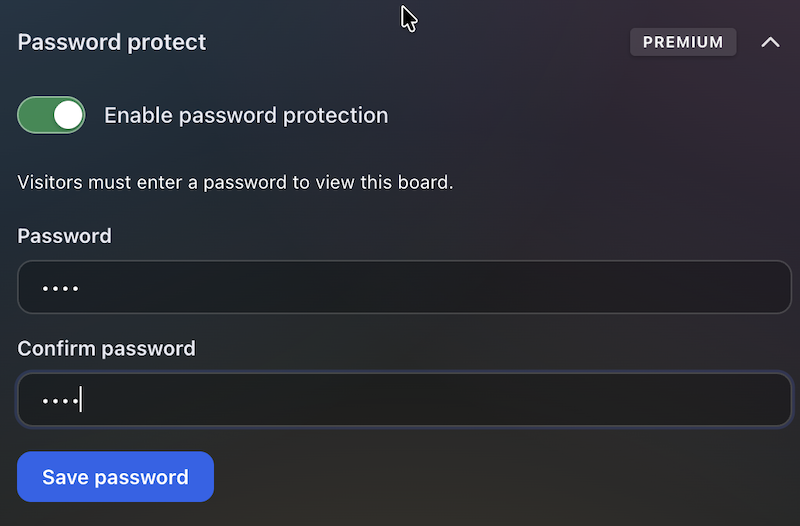
Set a password so visitors must unlock the board before they can read it—separate from posting rules, posting codes, and invite-only contribution.
Latest Posts
You May Also Like

One board for a whole graduating class

Happy Birthday Wishes for Star Wars Fans

100 Welcome to the Team Messages for New Employees and Coworkers

50 Virtual Team Celebration Ideas for Remote Employees

How to Sign an Online Group Card (+ 75 Message Examples)

What to Write in a Group Card: 100 Message Ideas for Every Occasion

100 Birthday Wishes for Coworkers (Funny, Professional & Heartfelt)

100 Thank You Messages for Teachers to Show Your Appreciation

100 Boss Appreciation Messages to Say Thank You

100 Teacher Appreciation Messages to Say Thank You

100 Congratulations Messages for Every Occasion
